Website Design
Website Design
Website Design
Insights
Insights
Insights
December 2, 2025
December 2, 2025
December 2, 2025
Generative AI in UX: Your Guide to Smarter Design
Explore how generative AI in UX is revolutionizing design. This guide covers AI-powered research, prototyping, and personalization to elevate your workflow.
4 mins
4 mins
4 mins
Welcome to a new era in design. We're not talking about replacement; we're talking about partnership. The relationship between generative AI and UX is all about collaboration, where technology takes on the repetitive work, freeing up designers like you to focus on strategy and creative problem-solving. It’s simply a smarter way to work.
Over the course of this article, we'll take a deep dive into how generative AI is simplifying the UX design process & what you need to keep in mind to harness it for your own SaaS design process.
The New Partnership Between Generative AI and UX

The fear that AI will make designers obsolete is a common talking point, but it misses the mark. It's more accurate to think of generative AI as a tireless assistant or a very capable junior design partner. Its real power is in augmenting your skills, not automating you out of a job.
This partnership fundamentally changes the design workflow. Imagine an AI that can comb through hours of user interview transcripts and pull out key themes in minutes.
Picture a tool that spits out hundreds of layout variations from a single prompt, letting you explore creative avenues you never had time for before. To really get it, you need to understand what AI-generated content entails and how it fits into a professional setting.
Supercharging Design Workflows
By taking on the most time-consuming parts of the design process, generative AI opens up massive efficiency gains.
It can spin up detailed user personas from raw survey data, craft compelling microcopy for buttons and tooltips, and even turn rough sketches into interactive prototypes. This speed completely changes the game for iteration.
In fact, teams using generative AI are seeing a 40-60% reduction in prototyping time, which means they can test and validate ideas much faster. A recent survey also found that 70% of UX professionals at large companies are now using AI in their workflows; a huge jump from just 35% two years ago.
By handing off data-heavy and repetitive work to AI, designers can reclaim their most valuable resource: time. This time is better spent on strategic thinking, empathizing with users, and pushing creative boundaries.
Unlocking Deeper Insights and Personalization
This collaborative approach isn't just about saving time. It unlocks a deeper understanding of users and makes personalization possible on a scale we've never seen before. AI can spot subtle patterns in user behavior that a human might easily miss, giving you solid data to back up your design choices.
This ability to tailor experiences to individual needs makes products far more engaging and effective. You can learn more about how this applies in our guide on AI for SaaS and B2B companies.
Ultimately, using generative AI in UX is about amplifying human creativity. It removes the friction from the design process so you can focus on what you do best: building exceptional products that solve real problems for real people.
How Generative AI Transforms the UX Workflow?

To see this partnership in action, let's break down how generative AI tools are already being applied at each stage of the typical UX design process. The table below shows a clear before-and-after picture, highlighting the shift from traditional methods to a more efficient, AI-assisted approach.
UX Workflow Stage | Traditional Method | AI-Assisted Method | Primary Benefit |
|---|---|---|---|
User Research | Manually transcribing and coding interviews; synthesizing notes | AI summarizes transcripts, identifies themes, and generates insights | Speed and unbiased data synthesis |
Ideation & Concepts | Brainstorming sessions, sketching by hand | AI generates hundreds of design variations and mood boards | Expanded creativity and rapid exploration |
Persona Creation | Compiling user data from surveys and interviews into archetypes | AI creates data-driven personas from raw qualitative/quantitative data | Accuracy and significant time savings |
Prototyping | Manually building wireframes and interactive prototypes in tools | AI converts sketches or text prompts into functional prototypes | Drastic reduction in build time |
UI & Content Design | Writing microcopy from scratch; creating design system components | AI writes copy variations and generates code for UI components | Consistency and accelerated content creation |
Creating test scripts and analyzing feedback manually | AI generates usability test scripts and analyzes session recordings | Deeper insights from qualitative feedback analysis |
As you can see, the goal at every step isn't to replace the designer's judgment but to provide a powerful starting point. This allows the design team to operate at a much higher strategic level, making informed decisions faster and with greater confidence.
Speeding Up User Research and Discovery
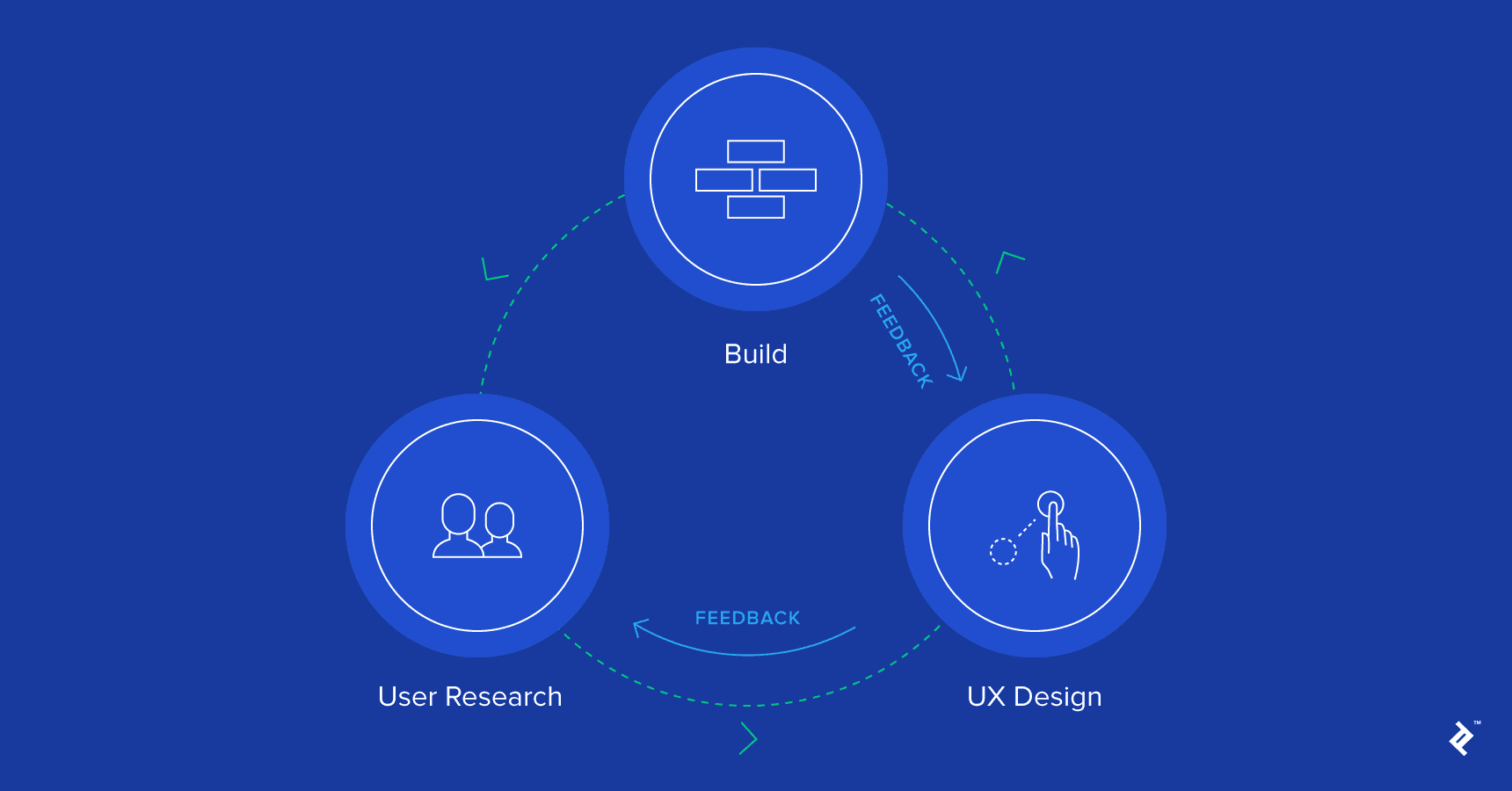
The discovery phase is where great design begins, but let’s be honest—it can be a serious slog. Manually transcribing interviews, trying to code mountains of qualitative data, and then making sense of it all can take days, if not weeks.
This bottleneck doesn't just slow down the project; it creates a risk of important insights getting buried in the noise.
Think of generative AI as a powerful research assistant that can cut through that initial grunt work. It can instantly read, understand, and categorize huge volumes of user feedback, turning what used to be tedious admin into clear, actionable intelligence. This isn't about replacing researchers. It’s about giving them superpowers.
By letting AI handle the heavy lifting of data synthesis, you and your team can focus on what humans do best: understanding the nuances, exploring the outliers, and asking the deeper strategic questions that lead to breakthroughs.
From Raw Transcripts to Real Insights
Okay, picture this: you’ve just wrapped up a dozen hour-long user interviews. The old way meant listening back, transcribing everything, and manually tagging key comments. It’s slow, and it's easy to miss things. With generative AI, that whole workflow gets a major upgrade.
You can now feed audio files or raw transcripts straight into an AI model and tell it exactly what you need.
Find the Patterns: Ask the AI to pinpoint recurring themes, pain points, and needs across every single interview. It will group related comments for you, saving countless hours of manual sorting.
Pull the Best Quotes: Need to find the most impactful quotes about onboarding issues or a specific feature request? Just ask the model to pull them for you.
Gauge the Mood: The AI can perform sentiment analysis on user feedback, quickly flagging areas where people are really happy or incredibly frustrated.
This kind of rapid analysis helps your team get from a pile of raw data to a shared understanding of the user’s world in a fraction of the time. You can spend your energy debating what the insights mean, not just trying to find them.
Building Data-Driven Personas and Empathy Maps
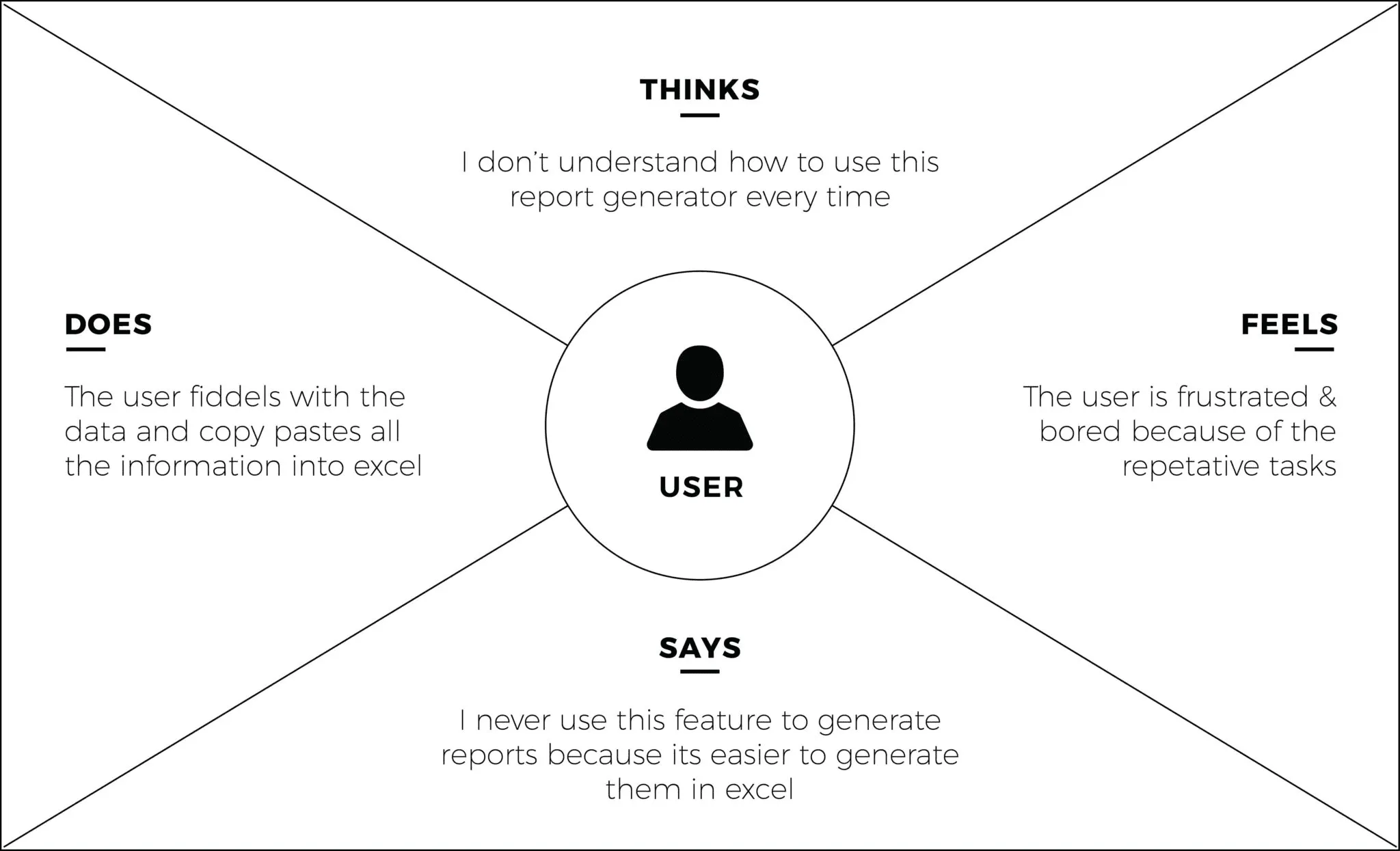
Creating user personas is another one of those essential but often time-consuming tasks. You have to comb through survey data, interview notes, and analytics to build a composite sketch of your audience. An AI-powered approach makes this whole process faster and, frankly, more rooted in actual data.
Instead of staring at a blank template, you can feed the AI a dataset—like a spreadsheet of survey responses or a folder of support tickets—and ask it to generate a detailed persona from scratch.
A good prompt can ask the AI to craft a full user persona, complete with demographics, goals, frustrations, and even a little narrative summary. The key is that it's all sourced directly from the data you provided, making sure your personas are based on evidence, not just creative writing.
For example, you could upload a CSV file of survey results and prompt it: "Based on this data, generate three distinct user personas for our B2B software. For each one, detail their job title, the biggest challenges they face with our tool, and what they hope to achieve by using it." The AI will hand you back structured, data-informed profiles that give your design process a solid foundation.
Of course, there are many ways to get this done. For teams looking to sharpen their approach, exploring a range of user research techniques can help put these new AI workflows into a broader, more effective context.
Ultimately, using generative AI in the discovery phase is about getting both speed and depth at the same time. You can process more feedback without losing quality, uncover subtle patterns you might have otherwise missed, and empower your team to build products based on a much richer, more accurate picture of your users.
Accelerating Ideation and Prototyping
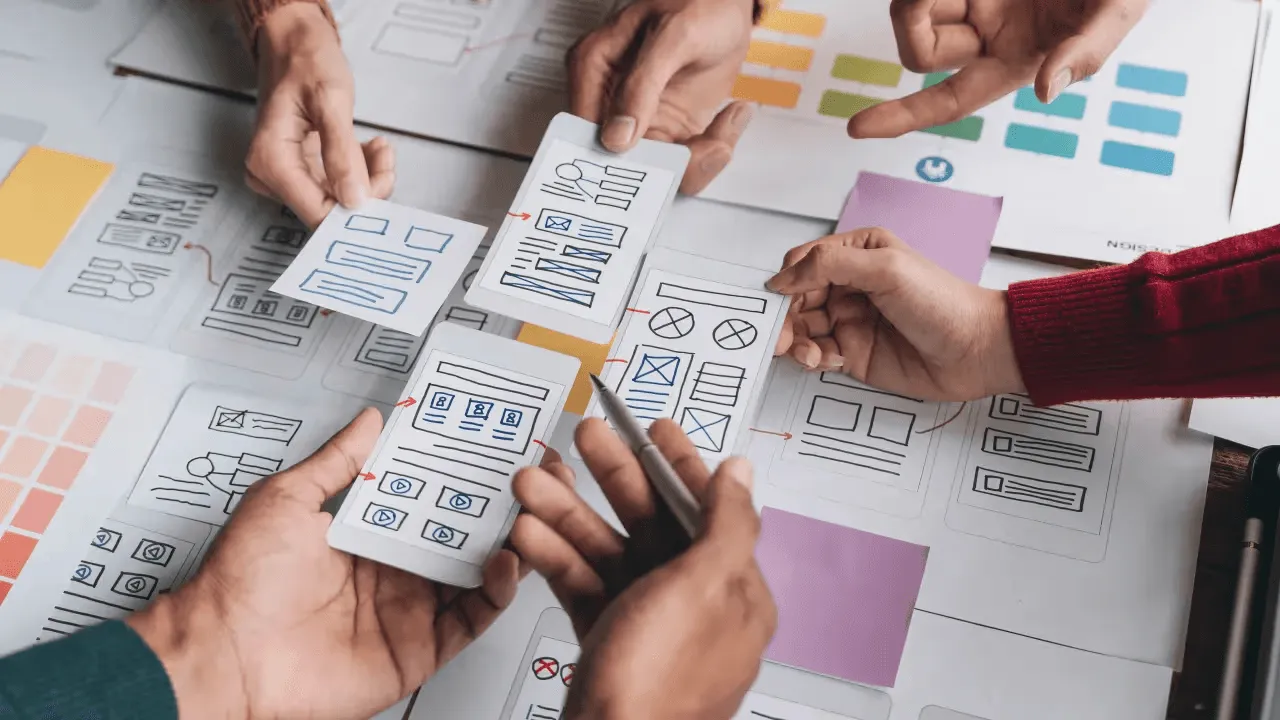
Every designer knows the feeling of staring at a blank canvas. The pressure to come up with something brilliant from scratch can be paralyzing, dragging down the critical early stages of a project.
Generative AI is changing this entirely. Think of it as a tireless brainstorming partner, ready to help you smash through creative blocks and explore dozens of concepts in minutes, not days.
Instead of meticulously sketching a single user flow, you can prompt an AI to spit out ten different versions based on a simple user story. This shifts your role from pure creator to that of a curator and strategist. You get to cherry-pick the strongest ideas from a massive pool of possibilities, freeing you up to think bigger.
At this stage, the real value of generative AI in UX is its ability to multiply your creative output and uncover paths you might have otherwise missed.
From Text Prompts to Tangible Concepts
The magic really happens when you can turn a simple text description into a visual design. It's a massive leap for prototyping. Specialized AI design tools can now take a prompt and spin up initial wireframes, information architecture diagrams, or even mood boards. This radically shortens the time between having an idea and holding a tangible concept in your hands.
For instance, a prompt like, "Generate a three-step mobile onboarding flow for a fitness app focused on user goal-setting," gives you an instant visual starting point. You can then take that foundation into your favorite design tool and start refining it, saving you the grunt work of building the basic structure from scratch.
This kind of rapid generation is quickly becoming a core part of the design world. In fact, general AI assistants and specialized design platforms currently make up 81% of the $12 billion consumer AI market, and the global user base for these tools has hit 378 million.
Crafting Realistic Microcopy and Content
A prototype filled with "lorem ipsum" is a dead giveaway that it's just a wireframe. It feels lifeless and often fails to convey the actual user experience during testing. Generative AI is a master at creating context-aware microcopy that breathes life into your designs.
You can ask an AI to write copy that perfectly matches your brand's tone of voice, making your prototypes feel far more realistic and polished.
Here's what you can add:
Button Labels: "Generate five different CTA button labels for a checkout page that create a sense of urgency."
Error Messages: "Write a friendly, helpful error message for when a user enters an invalid password."
Empty States: "Create encouraging copy for an empty project dashboard, guiding the user on their first action."
Tooltips: "Draft a concise and clear tooltip for a complex data visualization feature."
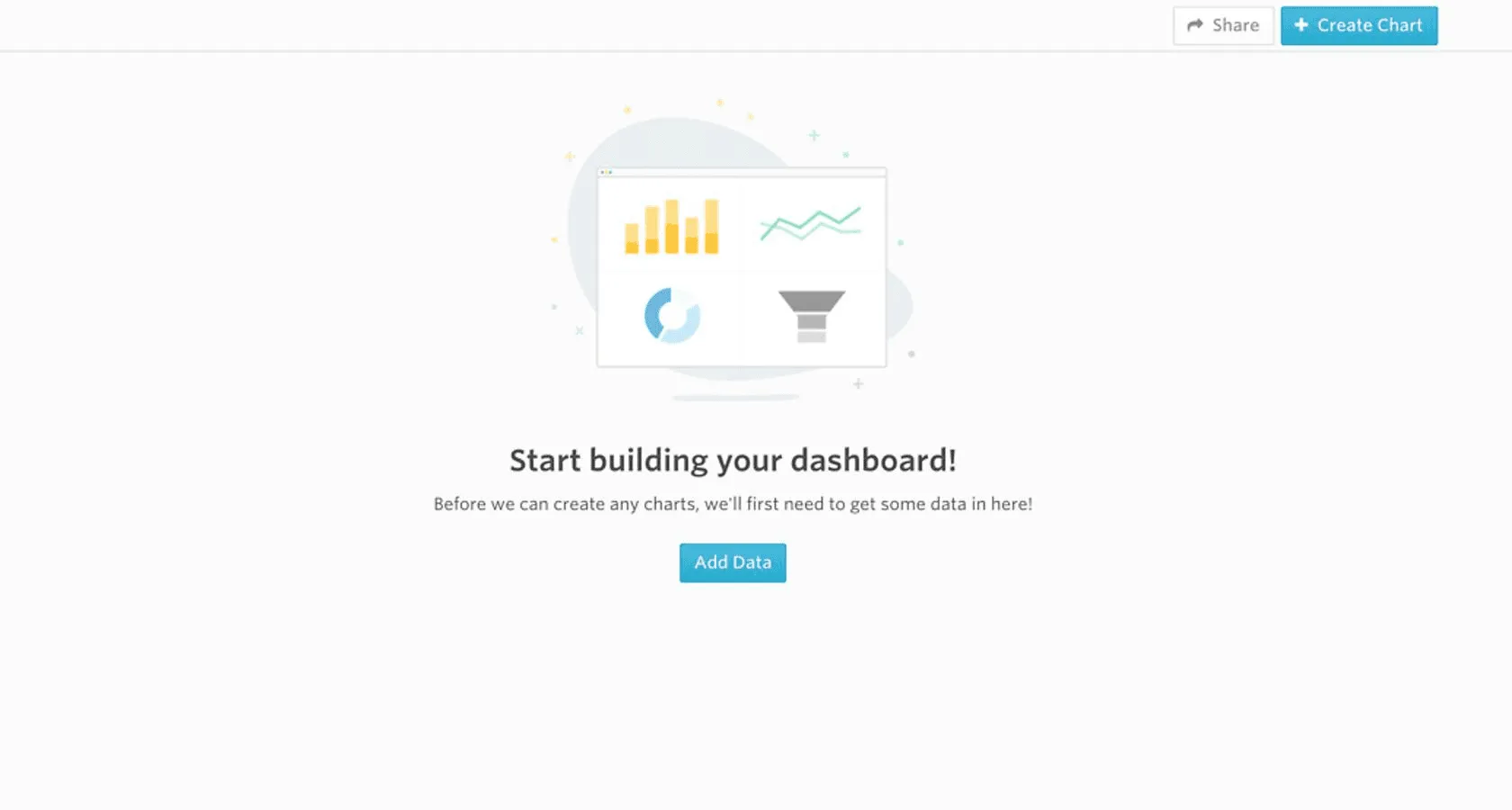
And it's not just for small text snippets. AI can populate your designs with realistic placeholder data—think user names, product descriptions, or activity feeds—making your prototype feel like a living, breathing product. This level of detail is invaluable for getting genuine, useful feedback during usability testing.
The core benefit here is moving from low-fidelity wireframes to high-fidelity, testable prototypes at an incredible speed. AI handles the repetitive tasks, letting designers focus on what they do best: refining the interaction design and perfecting the user journey.
Generating Code for Interactive Elements
Generative AI is also helping to close the gap between design and development. Many tools can now generate code snippets for interactive elements straight from a design file or even a visual description.
Imagine designing a complex data table in Figma and having an AI instantly produce the HTML and CSS for it. Not only does this speed up the handoff process, but it also ensures the final coded product is much closer to your original design vision.
And if your team wants to push the envelope with visuals, exploring something like a GPT-4o image generation prompt library can spark new ideas for integrating AI-generated assets directly into your prototypes.
By automating the creation of foundational UI, content, and even code, generative AI acts as a powerful accelerator. It gives design teams the power to explore more ideas, build more realistic prototypes, and test them faster than ever before. The end result? Better products, built in a fraction of the time.
Creating Hyper-Personalized User Experiences

The days of one-size-fits-all user experiences are numbered. Users have come to expect products that understand and adapt to them, not the other way around. This is where generative AI in UX stops being just an efficiency tool and becomes a genuine game-changer, unlocking a level of dynamic personalization that was simply out of reach at scale until now.
Instead of building one static interface, imagine creating a product that actually reshapes itself to fit each user's needs. Generative AI can analyze behavior in real-time—every click, hesitation, and search query—to tailor content, UI elements, and even entire workflows. The product starts to feel less like a rigid tool and more like a responsive partner.
This isn't just a fleeting trend; it's a strategic necessity. The market sees it, with 70% of customer experience leaders now planning to integrate generative AI across all their touchpoints. That confidence is backed by real action, too. The adoption rate for AI in customer-facing roles has jumped from 33% to 71% in just the last year, a massive signal of its proven value. You can dig into more stats on the rapid adoption of generative AI in customer service.
Dynamic Content and UI Adaptation
One of the most exciting applications for generative AI is its knack for dynamically altering the user interface on the fly. We're talking about more than just recommending products or articles. An AI-driven system can actively reconfigure the layout and information hierarchy to match a user's context and expertise.
Think about a complex B2B SaaS platform. A brand-new user could be greeted with a simplified dashboard, complete with guided tours and helpful tooltips. A power user, on the other hand, logging in to do the same task, might see an advanced interface loaded with shortcuts and deep analytics.
For the Novice: The AI serves up a step-by-step onboarding flow, tucking away complex features to avoid overwhelming them.
For the Expert: The AI brings advanced data visualizations and custom reporting tools to the forefront, streamlining their workflow.
The system adapts without missing a beat, making sure every single user gets the most efficient and relevant experience for their skill level. This creates a product that actually grows with its users, building real loyalty and satisfaction over time.
The goal is to make every user feel like the product was designed specifically for them. By analyzing behavior and context, generative AI can predict what a user needs before they even have to ask, creating a seamless and intuitive journey.
Personalized Onboarding and Support
Those first few moments a user spends with a product are absolutely critical. Generative AI can turn a generic onboarding checklist into a truly personalized guided tour. The system can notice where a user is struggling and proactively offer help right where they need it, whether it’s a pop-up tutorial or a timely suggestion from an AI-powered chatbot.
This personalized touch carries over into ongoing support. Instead of making users hunt through a massive knowledge base, modern AI chatbots can provide instant, human-like answers that are tailored to the user's specific problem.
These aren't the clunky, frustrating bots of the past; they understand natural language and can access a user's history to give genuinely helpful advice.
This approach doesn't just make users happier; it also takes a significant load off human support teams. For teams ready to build these kinds of adaptive systems, working with the best personalization UX design agencies can provide the specialized expertise required.
In the end, generative AI lets you create products that feel less like software and more like a helpful, intelligent assistant.
Navigating the Ethical Challenges and UX Pitfalls
Generative AI offers some incredible shortcuts and creative boosts for UX teams, but with that power comes a serious responsibility. If we just plug these tools into our workflow without thinking critically, we risk creating products that are biased, deceptive, or just plain harmful. It’s not about avoiding AI; it’s about using it smartly and with our eyes wide open.
Algorithmic Bias: The "Garbage In, Garbage Out" Problem
The most glaring risk is algorithmic bias. Think about it: these AI models learn from the internet, which is a massive, messy reflection of human history—biases and all. When you ask an AI to generate user personas, it might spit out archetypes that are overwhelmingly stereotypical, effectively erasing huge chunks of your potential user base.
Suddenly, your design process is catering to a narrow, imagined user while ignoring the diverse reality of your audience. Human oversight isn't just a good idea here; it’s absolutely essential to catch these biases before they get baked into the very foundation of your product.
Transparency vs. Deception
Here's a simple but critical question: do your users know when they're interacting with an AI? Not being upfront about this can feel manipulative and shatter the trust you've worked so hard to build.
A little clarity goes a long way. Something as simple as, "You're chatting with our AI assistant," sets the right expectation. The alternative is sliding into deceptive practices. For instance, using AI to create fake social proof or a false sense of urgency falls squarely into the territory of dark patterns. To build products people trust, you have to know what dark pattern examples look like and steer clear of them.
Maintaining transparency with users is not just an ethical obligation; it's a strategic one. Users who feel respected and informed are more likely to remain loyal customers. Trust, once broken, is incredibly difficult to repair.
And let's not forget privacy. These AI models are data-hungry. To do their job, they often need access to user information, some of which can be sensitive. Your team must have ironclad data privacy policies and be crystal clear with users about what you collect and why.
To help your team stay on the right track, use this checklist as a starting point during your design and development process.
Ethical AI Checklist for UX Teams
Ethical Consideration | Key Question to Ask | Mitigation Strategy |
|---|---|---|
Algorithmic Bias | Does our AI-generated output (e.g., personas, copy) reflect stereotypes or exclude certain demographics? | Have a diverse human team review and refine all AI outputs. Intentionally test with underrepresented user groups. |
Transparency | Is it obvious to users when they are interacting with an AI versus a human? | Clearly label all AI-powered features and interactions. Avoid language that pretends the AI is a real person. |
Data Privacy | Are we collecting more user data than necessary? Are users fully aware of how their data is being used by the AI? | Implement data minimization principles. Provide clear, easy-to-understand privacy policies. Anonymize data where possible. |
Accountability | Who is responsible if the AI generates a harmful, inaccurate, or offensive output? | Establish clear internal guidelines and a review process. Design "human-in-the-loop" systems for critical decisions. |
User Autonomy | Does the AI-driven experience nudge users into decisions that aren't in their best interest (e.g., dark patterns)? | Conduct ethical reviews of all AI-driven user flows. Prioritize user well-being over short-term conversion metrics. |
This checklist isn't exhaustive, but it's a practical way to kickstart critical conversations and build a more responsible design practice.
Avoiding Over-Reliance and the Sea of Sameness
There's another, more subtle pitfall: becoming lazy. Leaning too heavily on AI for creative work can lead to a flood of generic, soulless designs that all look and feel exactly the same.
AI models are brilliant at identifying and recreating common patterns from their training data. This makes them inherently good at producing safe, average, and ultimately unoriginal work. A design that lacks a distinct brand voice or a real understanding of human emotion just won't connect.
The key is balance. Use AI as a collaborator—an tireless assistant that can brainstorm ideas, knock out repetitive tasks, or analyze data in seconds. But the final call, the creative vision, must always come from a human designer who understands the brand, the context, and the user. Human oversight is non-negotiable. The best AI-powered UX work will always be the kind that amplifies human creativity, not the kind that tries to replace it.
Building Your AI-Powered Design Workflow
Moving from theory to practice is where the real work begins. The good news? Weaving generative AI into your design process doesn't require a massive, all-at-once overhaul. The smartest way to start is by taking small, deliberate steps. Begin with low-risk tasks that show immediate value and help build your team’s confidence.
This kind of methodical adoption makes sure your generative AI in UX strategy actually sticks. It’s not about chasing the latest shiny object; it's about finding tools and workflows that solve real problems for your team. The end goal is to build a system that genuinely supports and speeds up the great design work you’re already doing.
Starting With Low-Risk, High-Impact Tasks
Before you get into complex AI-driven prototyping, start with tasks where the AI can act as a helpful assistant. This gives your team a low-stakes environment to get comfortable with the tools and master the art of writing effective prompts. Think of it as wading into the shallow end of the pool to get a feel for the water before diving in.
Content generation and research synthesis are perfect places to begin.
Summarizing User Feedback: Got pages of interview transcripts or survey responses? Feed them to an AI to pull out the key themes and pain points in minutes, not hours.
Generating Copy Variations: Instead of staring at a blank page, use an AI to brainstorm dozens of options for microcopy, headlines, or email subject lines.
Drafting Research Plans: Ask an AI to create a structured outline for a usability study or an interview script based on your product goals. It’s a great starting point.
These tasks save a ton of time right away and show your team the practical wins of AI without turning your core design process upside down.
Evaluating and Selecting the Right Tools
The market for AI design tools is exploding, and it can be tough to know where to even look.
For designers trying to fine-tune their workflow, checking out the best AI tools for productivity can offer some much-needed clarity.
When you’re evaluating your options, stick to a simple framework that matches the tool to your team's actual needs.
Focus on these three factors:
Specific Need: What's the biggest bottleneck in your process right now? Is it slogging through research, coming up with fresh ideas, or writing content? Pick a tool that solves that problem.
Tech Stack Integration: Does the tool play nicely with your current software like Figma, Sketch, or Jira? A clunky workflow is a non-starter.
Team Skillset and Budget: Is the tool easy enough for everyone to use? Does the price make sense for your budget? A tool is only valuable if your team can and will actually use it.
A common mistake is jumping on a powerful, complex AI tool before the team even knows what they'd use it for. Start with simple, focused solutions. You can always scale up as your team gets more comfortable and their needs evolve. This approach gives you a much better return on your investment and causes way less friction.
The process flow below highlights the core steps for keeping things ethical as you bring these new tools into your daily work.
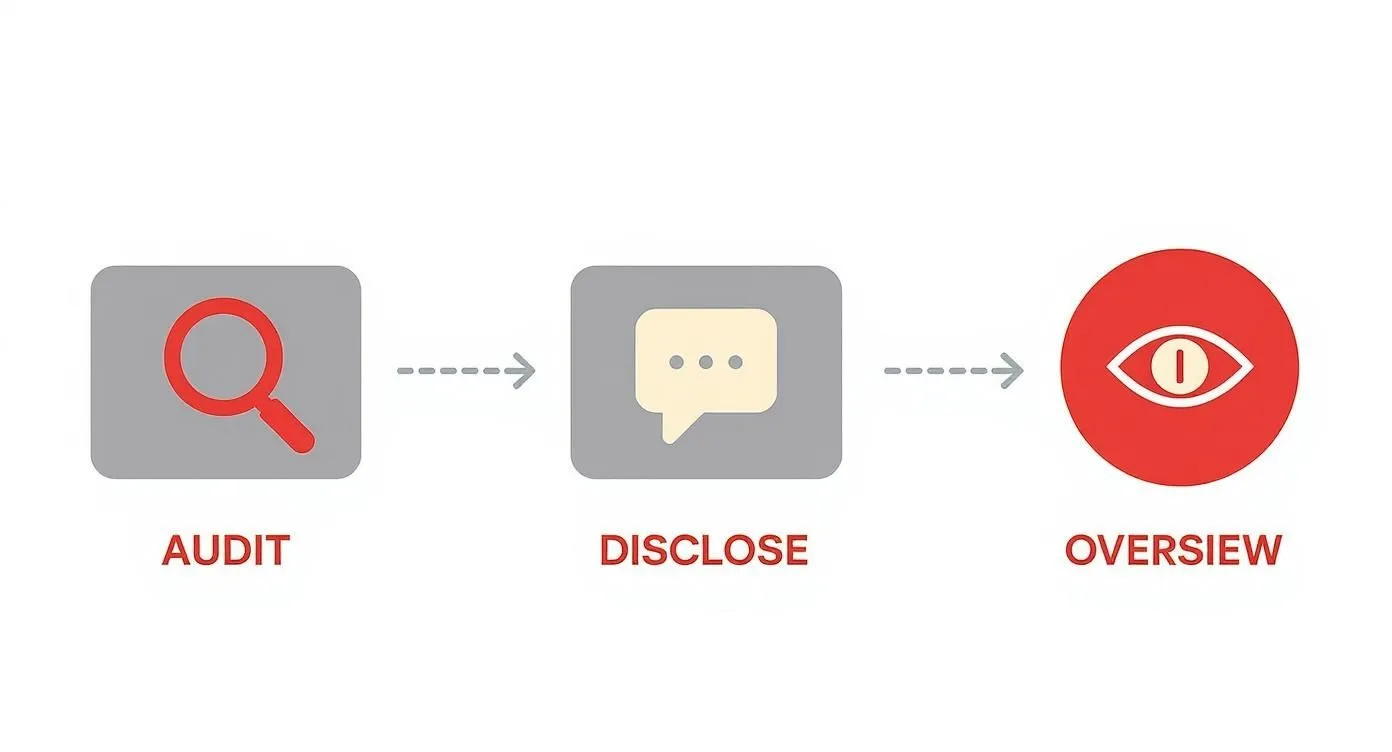
This simple framework—audit the outputs, disclose AI usage, and maintain human overview—is critical for using this technology responsibly. By creating clear guidelines and a shared library of great prompts, you empower your team to use AI consistently and ethically.
By focusing on these simple, high-impact things and processes first, your team can get some quick wins, build momentum, and see the value for themselves before diving into anything more complex.
Ready to build a smarter, more efficient design workflow? At Bricx, we specialize in helping B2B and AI SaaS companies design exceptional products that users love.
Learn how our UI/UX design services can help you innovate faster.

Welcome to a new era in design. We're not talking about replacement; we're talking about partnership. The relationship between generative AI and UX is all about collaboration, where technology takes on the repetitive work, freeing up designers like you to focus on strategy and creative problem-solving. It’s simply a smarter way to work.
Over the course of this article, we'll take a deep dive into how generative AI is simplifying the UX design process & what you need to keep in mind to harness it for your own SaaS design process.
The New Partnership Between Generative AI and UX

The fear that AI will make designers obsolete is a common talking point, but it misses the mark. It's more accurate to think of generative AI as a tireless assistant or a very capable junior design partner. Its real power is in augmenting your skills, not automating you out of a job.
This partnership fundamentally changes the design workflow. Imagine an AI that can comb through hours of user interview transcripts and pull out key themes in minutes.
Picture a tool that spits out hundreds of layout variations from a single prompt, letting you explore creative avenues you never had time for before. To really get it, you need to understand what AI-generated content entails and how it fits into a professional setting.
Supercharging Design Workflows
By taking on the most time-consuming parts of the design process, generative AI opens up massive efficiency gains.
It can spin up detailed user personas from raw survey data, craft compelling microcopy for buttons and tooltips, and even turn rough sketches into interactive prototypes. This speed completely changes the game for iteration.
In fact, teams using generative AI are seeing a 40-60% reduction in prototyping time, which means they can test and validate ideas much faster. A recent survey also found that 70% of UX professionals at large companies are now using AI in their workflows; a huge jump from just 35% two years ago.
By handing off data-heavy and repetitive work to AI, designers can reclaim their most valuable resource: time. This time is better spent on strategic thinking, empathizing with users, and pushing creative boundaries.
Unlocking Deeper Insights and Personalization
This collaborative approach isn't just about saving time. It unlocks a deeper understanding of users and makes personalization possible on a scale we've never seen before. AI can spot subtle patterns in user behavior that a human might easily miss, giving you solid data to back up your design choices.
This ability to tailor experiences to individual needs makes products far more engaging and effective. You can learn more about how this applies in our guide on AI for SaaS and B2B companies.
Ultimately, using generative AI in UX is about amplifying human creativity. It removes the friction from the design process so you can focus on what you do best: building exceptional products that solve real problems for real people.
How Generative AI Transforms the UX Workflow?

To see this partnership in action, let's break down how generative AI tools are already being applied at each stage of the typical UX design process. The table below shows a clear before-and-after picture, highlighting the shift from traditional methods to a more efficient, AI-assisted approach.
UX Workflow Stage | Traditional Method | AI-Assisted Method | Primary Benefit |
|---|---|---|---|
User Research | Manually transcribing and coding interviews; synthesizing notes | AI summarizes transcripts, identifies themes, and generates insights | Speed and unbiased data synthesis |
Ideation & Concepts | Brainstorming sessions, sketching by hand | AI generates hundreds of design variations and mood boards | Expanded creativity and rapid exploration |
Persona Creation | Compiling user data from surveys and interviews into archetypes | AI creates data-driven personas from raw qualitative/quantitative data | Accuracy and significant time savings |
Prototyping | Manually building wireframes and interactive prototypes in tools | AI converts sketches or text prompts into functional prototypes | Drastic reduction in build time |
UI & Content Design | Writing microcopy from scratch; creating design system components | AI writes copy variations and generates code for UI components | Consistency and accelerated content creation |
Creating test scripts and analyzing feedback manually | AI generates usability test scripts and analyzes session recordings | Deeper insights from qualitative feedback analysis |
As you can see, the goal at every step isn't to replace the designer's judgment but to provide a powerful starting point. This allows the design team to operate at a much higher strategic level, making informed decisions faster and with greater confidence.
Speeding Up User Research and Discovery

The discovery phase is where great design begins, but let’s be honest—it can be a serious slog. Manually transcribing interviews, trying to code mountains of qualitative data, and then making sense of it all can take days, if not weeks.
This bottleneck doesn't just slow down the project; it creates a risk of important insights getting buried in the noise.
Think of generative AI as a powerful research assistant that can cut through that initial grunt work. It can instantly read, understand, and categorize huge volumes of user feedback, turning what used to be tedious admin into clear, actionable intelligence. This isn't about replacing researchers. It’s about giving them superpowers.
By letting AI handle the heavy lifting of data synthesis, you and your team can focus on what humans do best: understanding the nuances, exploring the outliers, and asking the deeper strategic questions that lead to breakthroughs.
From Raw Transcripts to Real Insights
Okay, picture this: you’ve just wrapped up a dozen hour-long user interviews. The old way meant listening back, transcribing everything, and manually tagging key comments. It’s slow, and it's easy to miss things. With generative AI, that whole workflow gets a major upgrade.
You can now feed audio files or raw transcripts straight into an AI model and tell it exactly what you need.
Find the Patterns: Ask the AI to pinpoint recurring themes, pain points, and needs across every single interview. It will group related comments for you, saving countless hours of manual sorting.
Pull the Best Quotes: Need to find the most impactful quotes about onboarding issues or a specific feature request? Just ask the model to pull them for you.
Gauge the Mood: The AI can perform sentiment analysis on user feedback, quickly flagging areas where people are really happy or incredibly frustrated.
This kind of rapid analysis helps your team get from a pile of raw data to a shared understanding of the user’s world in a fraction of the time. You can spend your energy debating what the insights mean, not just trying to find them.
Building Data-Driven Personas and Empathy Maps

Creating user personas is another one of those essential but often time-consuming tasks. You have to comb through survey data, interview notes, and analytics to build a composite sketch of your audience. An AI-powered approach makes this whole process faster and, frankly, more rooted in actual data.
Instead of staring at a blank template, you can feed the AI a dataset—like a spreadsheet of survey responses or a folder of support tickets—and ask it to generate a detailed persona from scratch.
A good prompt can ask the AI to craft a full user persona, complete with demographics, goals, frustrations, and even a little narrative summary. The key is that it's all sourced directly from the data you provided, making sure your personas are based on evidence, not just creative writing.
For example, you could upload a CSV file of survey results and prompt it: "Based on this data, generate three distinct user personas for our B2B software. For each one, detail their job title, the biggest challenges they face with our tool, and what they hope to achieve by using it." The AI will hand you back structured, data-informed profiles that give your design process a solid foundation.
Of course, there are many ways to get this done. For teams looking to sharpen their approach, exploring a range of user research techniques can help put these new AI workflows into a broader, more effective context.
Ultimately, using generative AI in the discovery phase is about getting both speed and depth at the same time. You can process more feedback without losing quality, uncover subtle patterns you might have otherwise missed, and empower your team to build products based on a much richer, more accurate picture of your users.
Accelerating Ideation and Prototyping

Every designer knows the feeling of staring at a blank canvas. The pressure to come up with something brilliant from scratch can be paralyzing, dragging down the critical early stages of a project.
Generative AI is changing this entirely. Think of it as a tireless brainstorming partner, ready to help you smash through creative blocks and explore dozens of concepts in minutes, not days.
Instead of meticulously sketching a single user flow, you can prompt an AI to spit out ten different versions based on a simple user story. This shifts your role from pure creator to that of a curator and strategist. You get to cherry-pick the strongest ideas from a massive pool of possibilities, freeing you up to think bigger.
At this stage, the real value of generative AI in UX is its ability to multiply your creative output and uncover paths you might have otherwise missed.
From Text Prompts to Tangible Concepts
The magic really happens when you can turn a simple text description into a visual design. It's a massive leap for prototyping. Specialized AI design tools can now take a prompt and spin up initial wireframes, information architecture diagrams, or even mood boards. This radically shortens the time between having an idea and holding a tangible concept in your hands.
For instance, a prompt like, "Generate a three-step mobile onboarding flow for a fitness app focused on user goal-setting," gives you an instant visual starting point. You can then take that foundation into your favorite design tool and start refining it, saving you the grunt work of building the basic structure from scratch.
This kind of rapid generation is quickly becoming a core part of the design world. In fact, general AI assistants and specialized design platforms currently make up 81% of the $12 billion consumer AI market, and the global user base for these tools has hit 378 million.
Crafting Realistic Microcopy and Content
A prototype filled with "lorem ipsum" is a dead giveaway that it's just a wireframe. It feels lifeless and often fails to convey the actual user experience during testing. Generative AI is a master at creating context-aware microcopy that breathes life into your designs.
You can ask an AI to write copy that perfectly matches your brand's tone of voice, making your prototypes feel far more realistic and polished.
Here's what you can add:
Button Labels: "Generate five different CTA button labels for a checkout page that create a sense of urgency."
Error Messages: "Write a friendly, helpful error message for when a user enters an invalid password."
Empty States: "Create encouraging copy for an empty project dashboard, guiding the user on their first action."
Tooltips: "Draft a concise and clear tooltip for a complex data visualization feature."

And it's not just for small text snippets. AI can populate your designs with realistic placeholder data—think user names, product descriptions, or activity feeds—making your prototype feel like a living, breathing product. This level of detail is invaluable for getting genuine, useful feedback during usability testing.
The core benefit here is moving from low-fidelity wireframes to high-fidelity, testable prototypes at an incredible speed. AI handles the repetitive tasks, letting designers focus on what they do best: refining the interaction design and perfecting the user journey.
Generating Code for Interactive Elements
Generative AI is also helping to close the gap between design and development. Many tools can now generate code snippets for interactive elements straight from a design file or even a visual description.
Imagine designing a complex data table in Figma and having an AI instantly produce the HTML and CSS for it. Not only does this speed up the handoff process, but it also ensures the final coded product is much closer to your original design vision.
And if your team wants to push the envelope with visuals, exploring something like a GPT-4o image generation prompt library can spark new ideas for integrating AI-generated assets directly into your prototypes.
By automating the creation of foundational UI, content, and even code, generative AI acts as a powerful accelerator. It gives design teams the power to explore more ideas, build more realistic prototypes, and test them faster than ever before. The end result? Better products, built in a fraction of the time.
Creating Hyper-Personalized User Experiences

The days of one-size-fits-all user experiences are numbered. Users have come to expect products that understand and adapt to them, not the other way around. This is where generative AI in UX stops being just an efficiency tool and becomes a genuine game-changer, unlocking a level of dynamic personalization that was simply out of reach at scale until now.
Instead of building one static interface, imagine creating a product that actually reshapes itself to fit each user's needs. Generative AI can analyze behavior in real-time—every click, hesitation, and search query—to tailor content, UI elements, and even entire workflows. The product starts to feel less like a rigid tool and more like a responsive partner.
This isn't just a fleeting trend; it's a strategic necessity. The market sees it, with 70% of customer experience leaders now planning to integrate generative AI across all their touchpoints. That confidence is backed by real action, too. The adoption rate for AI in customer-facing roles has jumped from 33% to 71% in just the last year, a massive signal of its proven value. You can dig into more stats on the rapid adoption of generative AI in customer service.
Dynamic Content and UI Adaptation
One of the most exciting applications for generative AI is its knack for dynamically altering the user interface on the fly. We're talking about more than just recommending products or articles. An AI-driven system can actively reconfigure the layout and information hierarchy to match a user's context and expertise.
Think about a complex B2B SaaS platform. A brand-new user could be greeted with a simplified dashboard, complete with guided tours and helpful tooltips. A power user, on the other hand, logging in to do the same task, might see an advanced interface loaded with shortcuts and deep analytics.
For the Novice: The AI serves up a step-by-step onboarding flow, tucking away complex features to avoid overwhelming them.
For the Expert: The AI brings advanced data visualizations and custom reporting tools to the forefront, streamlining their workflow.
The system adapts without missing a beat, making sure every single user gets the most efficient and relevant experience for their skill level. This creates a product that actually grows with its users, building real loyalty and satisfaction over time.
The goal is to make every user feel like the product was designed specifically for them. By analyzing behavior and context, generative AI can predict what a user needs before they even have to ask, creating a seamless and intuitive journey.
Personalized Onboarding and Support
Those first few moments a user spends with a product are absolutely critical. Generative AI can turn a generic onboarding checklist into a truly personalized guided tour. The system can notice where a user is struggling and proactively offer help right where they need it, whether it’s a pop-up tutorial or a timely suggestion from an AI-powered chatbot.
This personalized touch carries over into ongoing support. Instead of making users hunt through a massive knowledge base, modern AI chatbots can provide instant, human-like answers that are tailored to the user's specific problem.
These aren't the clunky, frustrating bots of the past; they understand natural language and can access a user's history to give genuinely helpful advice.
This approach doesn't just make users happier; it also takes a significant load off human support teams. For teams ready to build these kinds of adaptive systems, working with the best personalization UX design agencies can provide the specialized expertise required.
In the end, generative AI lets you create products that feel less like software and more like a helpful, intelligent assistant.
Navigating the Ethical Challenges and UX Pitfalls
Generative AI offers some incredible shortcuts and creative boosts for UX teams, but with that power comes a serious responsibility. If we just plug these tools into our workflow without thinking critically, we risk creating products that are biased, deceptive, or just plain harmful. It’s not about avoiding AI; it’s about using it smartly and with our eyes wide open.
Algorithmic Bias: The "Garbage In, Garbage Out" Problem
The most glaring risk is algorithmic bias. Think about it: these AI models learn from the internet, which is a massive, messy reflection of human history—biases and all. When you ask an AI to generate user personas, it might spit out archetypes that are overwhelmingly stereotypical, effectively erasing huge chunks of your potential user base.
Suddenly, your design process is catering to a narrow, imagined user while ignoring the diverse reality of your audience. Human oversight isn't just a good idea here; it’s absolutely essential to catch these biases before they get baked into the very foundation of your product.
Transparency vs. Deception
Here's a simple but critical question: do your users know when they're interacting with an AI? Not being upfront about this can feel manipulative and shatter the trust you've worked so hard to build.
A little clarity goes a long way. Something as simple as, "You're chatting with our AI assistant," sets the right expectation. The alternative is sliding into deceptive practices. For instance, using AI to create fake social proof or a false sense of urgency falls squarely into the territory of dark patterns. To build products people trust, you have to know what dark pattern examples look like and steer clear of them.
Maintaining transparency with users is not just an ethical obligation; it's a strategic one. Users who feel respected and informed are more likely to remain loyal customers. Trust, once broken, is incredibly difficult to repair.
And let's not forget privacy. These AI models are data-hungry. To do their job, they often need access to user information, some of which can be sensitive. Your team must have ironclad data privacy policies and be crystal clear with users about what you collect and why.
To help your team stay on the right track, use this checklist as a starting point during your design and development process.
Ethical AI Checklist for UX Teams
Ethical Consideration | Key Question to Ask | Mitigation Strategy |
|---|---|---|
Algorithmic Bias | Does our AI-generated output (e.g., personas, copy) reflect stereotypes or exclude certain demographics? | Have a diverse human team review and refine all AI outputs. Intentionally test with underrepresented user groups. |
Transparency | Is it obvious to users when they are interacting with an AI versus a human? | Clearly label all AI-powered features and interactions. Avoid language that pretends the AI is a real person. |
Data Privacy | Are we collecting more user data than necessary? Are users fully aware of how their data is being used by the AI? | Implement data minimization principles. Provide clear, easy-to-understand privacy policies. Anonymize data where possible. |
Accountability | Who is responsible if the AI generates a harmful, inaccurate, or offensive output? | Establish clear internal guidelines and a review process. Design "human-in-the-loop" systems for critical decisions. |
User Autonomy | Does the AI-driven experience nudge users into decisions that aren't in their best interest (e.g., dark patterns)? | Conduct ethical reviews of all AI-driven user flows. Prioritize user well-being over short-term conversion metrics. |
This checklist isn't exhaustive, but it's a practical way to kickstart critical conversations and build a more responsible design practice.
Avoiding Over-Reliance and the Sea of Sameness
There's another, more subtle pitfall: becoming lazy. Leaning too heavily on AI for creative work can lead to a flood of generic, soulless designs that all look and feel exactly the same.
AI models are brilliant at identifying and recreating common patterns from their training data. This makes them inherently good at producing safe, average, and ultimately unoriginal work. A design that lacks a distinct brand voice or a real understanding of human emotion just won't connect.
The key is balance. Use AI as a collaborator—an tireless assistant that can brainstorm ideas, knock out repetitive tasks, or analyze data in seconds. But the final call, the creative vision, must always come from a human designer who understands the brand, the context, and the user. Human oversight is non-negotiable. The best AI-powered UX work will always be the kind that amplifies human creativity, not the kind that tries to replace it.
Building Your AI-Powered Design Workflow
Moving from theory to practice is where the real work begins. The good news? Weaving generative AI into your design process doesn't require a massive, all-at-once overhaul. The smartest way to start is by taking small, deliberate steps. Begin with low-risk tasks that show immediate value and help build your team’s confidence.
This kind of methodical adoption makes sure your generative AI in UX strategy actually sticks. It’s not about chasing the latest shiny object; it's about finding tools and workflows that solve real problems for your team. The end goal is to build a system that genuinely supports and speeds up the great design work you’re already doing.
Starting With Low-Risk, High-Impact Tasks
Before you get into complex AI-driven prototyping, start with tasks where the AI can act as a helpful assistant. This gives your team a low-stakes environment to get comfortable with the tools and master the art of writing effective prompts. Think of it as wading into the shallow end of the pool to get a feel for the water before diving in.
Content generation and research synthesis are perfect places to begin.
Summarizing User Feedback: Got pages of interview transcripts or survey responses? Feed them to an AI to pull out the key themes and pain points in minutes, not hours.
Generating Copy Variations: Instead of staring at a blank page, use an AI to brainstorm dozens of options for microcopy, headlines, or email subject lines.
Drafting Research Plans: Ask an AI to create a structured outline for a usability study or an interview script based on your product goals. It’s a great starting point.
These tasks save a ton of time right away and show your team the practical wins of AI without turning your core design process upside down.
Evaluating and Selecting the Right Tools
The market for AI design tools is exploding, and it can be tough to know where to even look.
For designers trying to fine-tune their workflow, checking out the best AI tools for productivity can offer some much-needed clarity.
When you’re evaluating your options, stick to a simple framework that matches the tool to your team's actual needs.
Focus on these three factors:
Specific Need: What's the biggest bottleneck in your process right now? Is it slogging through research, coming up with fresh ideas, or writing content? Pick a tool that solves that problem.
Tech Stack Integration: Does the tool play nicely with your current software like Figma, Sketch, or Jira? A clunky workflow is a non-starter.
Team Skillset and Budget: Is the tool easy enough for everyone to use? Does the price make sense for your budget? A tool is only valuable if your team can and will actually use it.
A common mistake is jumping on a powerful, complex AI tool before the team even knows what they'd use it for. Start with simple, focused solutions. You can always scale up as your team gets more comfortable and their needs evolve. This approach gives you a much better return on your investment and causes way less friction.
The process flow below highlights the core steps for keeping things ethical as you bring these new tools into your daily work.

This simple framework—audit the outputs, disclose AI usage, and maintain human overview—is critical for using this technology responsibly. By creating clear guidelines and a shared library of great prompts, you empower your team to use AI consistently and ethically.
By focusing on these simple, high-impact things and processes first, your team can get some quick wins, build momentum, and see the value for themselves before diving into anything more complex.
Ready to build a smarter, more efficient design workflow? At Bricx, we specialize in helping B2B and AI SaaS companies design exceptional products that users love.
Learn how our UI/UX design services can help you innovate faster.
Welcome to a new era in design. We're not talking about replacement; we're talking about partnership. The relationship between generative AI and UX is all about collaboration, where technology takes on the repetitive work, freeing up designers like you to focus on strategy and creative problem-solving. It’s simply a smarter way to work.
Over the course of this article, we'll take a deep dive into how generative AI is simplifying the UX design process & what you need to keep in mind to harness it for your own SaaS design process.
The New Partnership Between Generative AI and UX

The fear that AI will make designers obsolete is a common talking point, but it misses the mark. It's more accurate to think of generative AI as a tireless assistant or a very capable junior design partner. Its real power is in augmenting your skills, not automating you out of a job.
This partnership fundamentally changes the design workflow. Imagine an AI that can comb through hours of user interview transcripts and pull out key themes in minutes.
Picture a tool that spits out hundreds of layout variations from a single prompt, letting you explore creative avenues you never had time for before. To really get it, you need to understand what AI-generated content entails and how it fits into a professional setting.
Supercharging Design Workflows
By taking on the most time-consuming parts of the design process, generative AI opens up massive efficiency gains.
It can spin up detailed user personas from raw survey data, craft compelling microcopy for buttons and tooltips, and even turn rough sketches into interactive prototypes. This speed completely changes the game for iteration.
In fact, teams using generative AI are seeing a 40-60% reduction in prototyping time, which means they can test and validate ideas much faster. A recent survey also found that 70% of UX professionals at large companies are now using AI in their workflows; a huge jump from just 35% two years ago.
By handing off data-heavy and repetitive work to AI, designers can reclaim their most valuable resource: time. This time is better spent on strategic thinking, empathizing with users, and pushing creative boundaries.
Unlocking Deeper Insights and Personalization
This collaborative approach isn't just about saving time. It unlocks a deeper understanding of users and makes personalization possible on a scale we've never seen before. AI can spot subtle patterns in user behavior that a human might easily miss, giving you solid data to back up your design choices.
This ability to tailor experiences to individual needs makes products far more engaging and effective. You can learn more about how this applies in our guide on AI for SaaS and B2B companies.
Ultimately, using generative AI in UX is about amplifying human creativity. It removes the friction from the design process so you can focus on what you do best: building exceptional products that solve real problems for real people.
How Generative AI Transforms the UX Workflow?

To see this partnership in action, let's break down how generative AI tools are already being applied at each stage of the typical UX design process. The table below shows a clear before-and-after picture, highlighting the shift from traditional methods to a more efficient, AI-assisted approach.
UX Workflow Stage | Traditional Method | AI-Assisted Method | Primary Benefit |
|---|---|---|---|
User Research | Manually transcribing and coding interviews; synthesizing notes | AI summarizes transcripts, identifies themes, and generates insights | Speed and unbiased data synthesis |
Ideation & Concepts | Brainstorming sessions, sketching by hand | AI generates hundreds of design variations and mood boards | Expanded creativity and rapid exploration |
Persona Creation | Compiling user data from surveys and interviews into archetypes | AI creates data-driven personas from raw qualitative/quantitative data | Accuracy and significant time savings |
Prototyping | Manually building wireframes and interactive prototypes in tools | AI converts sketches or text prompts into functional prototypes | Drastic reduction in build time |
UI & Content Design | Writing microcopy from scratch; creating design system components | AI writes copy variations and generates code for UI components | Consistency and accelerated content creation |
Creating test scripts and analyzing feedback manually | AI generates usability test scripts and analyzes session recordings | Deeper insights from qualitative feedback analysis |
As you can see, the goal at every step isn't to replace the designer's judgment but to provide a powerful starting point. This allows the design team to operate at a much higher strategic level, making informed decisions faster and with greater confidence.
Speeding Up User Research and Discovery

The discovery phase is where great design begins, but let’s be honest—it can be a serious slog. Manually transcribing interviews, trying to code mountains of qualitative data, and then making sense of it all can take days, if not weeks.
This bottleneck doesn't just slow down the project; it creates a risk of important insights getting buried in the noise.
Think of generative AI as a powerful research assistant that can cut through that initial grunt work. It can instantly read, understand, and categorize huge volumes of user feedback, turning what used to be tedious admin into clear, actionable intelligence. This isn't about replacing researchers. It’s about giving them superpowers.
By letting AI handle the heavy lifting of data synthesis, you and your team can focus on what humans do best: understanding the nuances, exploring the outliers, and asking the deeper strategic questions that lead to breakthroughs.
From Raw Transcripts to Real Insights
Okay, picture this: you’ve just wrapped up a dozen hour-long user interviews. The old way meant listening back, transcribing everything, and manually tagging key comments. It’s slow, and it's easy to miss things. With generative AI, that whole workflow gets a major upgrade.
You can now feed audio files or raw transcripts straight into an AI model and tell it exactly what you need.
Find the Patterns: Ask the AI to pinpoint recurring themes, pain points, and needs across every single interview. It will group related comments for you, saving countless hours of manual sorting.
Pull the Best Quotes: Need to find the most impactful quotes about onboarding issues or a specific feature request? Just ask the model to pull them for you.
Gauge the Mood: The AI can perform sentiment analysis on user feedback, quickly flagging areas where people are really happy or incredibly frustrated.
This kind of rapid analysis helps your team get from a pile of raw data to a shared understanding of the user’s world in a fraction of the time. You can spend your energy debating what the insights mean, not just trying to find them.
Building Data-Driven Personas and Empathy Maps

Creating user personas is another one of those essential but often time-consuming tasks. You have to comb through survey data, interview notes, and analytics to build a composite sketch of your audience. An AI-powered approach makes this whole process faster and, frankly, more rooted in actual data.
Instead of staring at a blank template, you can feed the AI a dataset—like a spreadsheet of survey responses or a folder of support tickets—and ask it to generate a detailed persona from scratch.
A good prompt can ask the AI to craft a full user persona, complete with demographics, goals, frustrations, and even a little narrative summary. The key is that it's all sourced directly from the data you provided, making sure your personas are based on evidence, not just creative writing.
For example, you could upload a CSV file of survey results and prompt it: "Based on this data, generate three distinct user personas for our B2B software. For each one, detail their job title, the biggest challenges they face with our tool, and what they hope to achieve by using it." The AI will hand you back structured, data-informed profiles that give your design process a solid foundation.
Of course, there are many ways to get this done. For teams looking to sharpen their approach, exploring a range of user research techniques can help put these new AI workflows into a broader, more effective context.
Ultimately, using generative AI in the discovery phase is about getting both speed and depth at the same time. You can process more feedback without losing quality, uncover subtle patterns you might have otherwise missed, and empower your team to build products based on a much richer, more accurate picture of your users.
Accelerating Ideation and Prototyping

Every designer knows the feeling of staring at a blank canvas. The pressure to come up with something brilliant from scratch can be paralyzing, dragging down the critical early stages of a project.
Generative AI is changing this entirely. Think of it as a tireless brainstorming partner, ready to help you smash through creative blocks and explore dozens of concepts in minutes, not days.
Instead of meticulously sketching a single user flow, you can prompt an AI to spit out ten different versions based on a simple user story. This shifts your role from pure creator to that of a curator and strategist. You get to cherry-pick the strongest ideas from a massive pool of possibilities, freeing you up to think bigger.
At this stage, the real value of generative AI in UX is its ability to multiply your creative output and uncover paths you might have otherwise missed.
From Text Prompts to Tangible Concepts
The magic really happens when you can turn a simple text description into a visual design. It's a massive leap for prototyping. Specialized AI design tools can now take a prompt and spin up initial wireframes, information architecture diagrams, or even mood boards. This radically shortens the time between having an idea and holding a tangible concept in your hands.
For instance, a prompt like, "Generate a three-step mobile onboarding flow for a fitness app focused on user goal-setting," gives you an instant visual starting point. You can then take that foundation into your favorite design tool and start refining it, saving you the grunt work of building the basic structure from scratch.
This kind of rapid generation is quickly becoming a core part of the design world. In fact, general AI assistants and specialized design platforms currently make up 81% of the $12 billion consumer AI market, and the global user base for these tools has hit 378 million.
Crafting Realistic Microcopy and Content
A prototype filled with "lorem ipsum" is a dead giveaway that it's just a wireframe. It feels lifeless and often fails to convey the actual user experience during testing. Generative AI is a master at creating context-aware microcopy that breathes life into your designs.
You can ask an AI to write copy that perfectly matches your brand's tone of voice, making your prototypes feel far more realistic and polished.
Here's what you can add:
Button Labels: "Generate five different CTA button labels for a checkout page that create a sense of urgency."
Error Messages: "Write a friendly, helpful error message for when a user enters an invalid password."
Empty States: "Create encouraging copy for an empty project dashboard, guiding the user on their first action."
Tooltips: "Draft a concise and clear tooltip for a complex data visualization feature."

And it's not just for small text snippets. AI can populate your designs with realistic placeholder data—think user names, product descriptions, or activity feeds—making your prototype feel like a living, breathing product. This level of detail is invaluable for getting genuine, useful feedback during usability testing.
The core benefit here is moving from low-fidelity wireframes to high-fidelity, testable prototypes at an incredible speed. AI handles the repetitive tasks, letting designers focus on what they do best: refining the interaction design and perfecting the user journey.
Generating Code for Interactive Elements
Generative AI is also helping to close the gap between design and development. Many tools can now generate code snippets for interactive elements straight from a design file or even a visual description.
Imagine designing a complex data table in Figma and having an AI instantly produce the HTML and CSS for it. Not only does this speed up the handoff process, but it also ensures the final coded product is much closer to your original design vision.
And if your team wants to push the envelope with visuals, exploring something like a GPT-4o image generation prompt library can spark new ideas for integrating AI-generated assets directly into your prototypes.
By automating the creation of foundational UI, content, and even code, generative AI acts as a powerful accelerator. It gives design teams the power to explore more ideas, build more realistic prototypes, and test them faster than ever before. The end result? Better products, built in a fraction of the time.
Creating Hyper-Personalized User Experiences

The days of one-size-fits-all user experiences are numbered. Users have come to expect products that understand and adapt to them, not the other way around. This is where generative AI in UX stops being just an efficiency tool and becomes a genuine game-changer, unlocking a level of dynamic personalization that was simply out of reach at scale until now.
Instead of building one static interface, imagine creating a product that actually reshapes itself to fit each user's needs. Generative AI can analyze behavior in real-time—every click, hesitation, and search query—to tailor content, UI elements, and even entire workflows. The product starts to feel less like a rigid tool and more like a responsive partner.
This isn't just a fleeting trend; it's a strategic necessity. The market sees it, with 70% of customer experience leaders now planning to integrate generative AI across all their touchpoints. That confidence is backed by real action, too. The adoption rate for AI in customer-facing roles has jumped from 33% to 71% in just the last year, a massive signal of its proven value. You can dig into more stats on the rapid adoption of generative AI in customer service.
Dynamic Content and UI Adaptation
One of the most exciting applications for generative AI is its knack for dynamically altering the user interface on the fly. We're talking about more than just recommending products or articles. An AI-driven system can actively reconfigure the layout and information hierarchy to match a user's context and expertise.
Think about a complex B2B SaaS platform. A brand-new user could be greeted with a simplified dashboard, complete with guided tours and helpful tooltips. A power user, on the other hand, logging in to do the same task, might see an advanced interface loaded with shortcuts and deep analytics.
For the Novice: The AI serves up a step-by-step onboarding flow, tucking away complex features to avoid overwhelming them.
For the Expert: The AI brings advanced data visualizations and custom reporting tools to the forefront, streamlining their workflow.
The system adapts without missing a beat, making sure every single user gets the most efficient and relevant experience for their skill level. This creates a product that actually grows with its users, building real loyalty and satisfaction over time.
The goal is to make every user feel like the product was designed specifically for them. By analyzing behavior and context, generative AI can predict what a user needs before they even have to ask, creating a seamless and intuitive journey.
Personalized Onboarding and Support
Those first few moments a user spends with a product are absolutely critical. Generative AI can turn a generic onboarding checklist into a truly personalized guided tour. The system can notice where a user is struggling and proactively offer help right where they need it, whether it’s a pop-up tutorial or a timely suggestion from an AI-powered chatbot.
This personalized touch carries over into ongoing support. Instead of making users hunt through a massive knowledge base, modern AI chatbots can provide instant, human-like answers that are tailored to the user's specific problem.
These aren't the clunky, frustrating bots of the past; they understand natural language and can access a user's history to give genuinely helpful advice.
This approach doesn't just make users happier; it also takes a significant load off human support teams. For teams ready to build these kinds of adaptive systems, working with the best personalization UX design agencies can provide the specialized expertise required.
In the end, generative AI lets you create products that feel less like software and more like a helpful, intelligent assistant.
Navigating the Ethical Challenges and UX Pitfalls
Generative AI offers some incredible shortcuts and creative boosts for UX teams, but with that power comes a serious responsibility. If we just plug these tools into our workflow without thinking critically, we risk creating products that are biased, deceptive, or just plain harmful. It’s not about avoiding AI; it’s about using it smartly and with our eyes wide open.
Algorithmic Bias: The "Garbage In, Garbage Out" Problem
The most glaring risk is algorithmic bias. Think about it: these AI models learn from the internet, which is a massive, messy reflection of human history—biases and all. When you ask an AI to generate user personas, it might spit out archetypes that are overwhelmingly stereotypical, effectively erasing huge chunks of your potential user base.
Suddenly, your design process is catering to a narrow, imagined user while ignoring the diverse reality of your audience. Human oversight isn't just a good idea here; it’s absolutely essential to catch these biases before they get baked into the very foundation of your product.
Transparency vs. Deception
Here's a simple but critical question: do your users know when they're interacting with an AI? Not being upfront about this can feel manipulative and shatter the trust you've worked so hard to build.
A little clarity goes a long way. Something as simple as, "You're chatting with our AI assistant," sets the right expectation. The alternative is sliding into deceptive practices. For instance, using AI to create fake social proof or a false sense of urgency falls squarely into the territory of dark patterns. To build products people trust, you have to know what dark pattern examples look like and steer clear of them.
Maintaining transparency with users is not just an ethical obligation; it's a strategic one. Users who feel respected and informed are more likely to remain loyal customers. Trust, once broken, is incredibly difficult to repair.
And let's not forget privacy. These AI models are data-hungry. To do their job, they often need access to user information, some of which can be sensitive. Your team must have ironclad data privacy policies and be crystal clear with users about what you collect and why.
To help your team stay on the right track, use this checklist as a starting point during your design and development process.
Ethical AI Checklist for UX Teams
Ethical Consideration | Key Question to Ask | Mitigation Strategy |
|---|---|---|
Algorithmic Bias | Does our AI-generated output (e.g., personas, copy) reflect stereotypes or exclude certain demographics? | Have a diverse human team review and refine all AI outputs. Intentionally test with underrepresented user groups. |
Transparency | Is it obvious to users when they are interacting with an AI versus a human? | Clearly label all AI-powered features and interactions. Avoid language that pretends the AI is a real person. |
Data Privacy | Are we collecting more user data than necessary? Are users fully aware of how their data is being used by the AI? | Implement data minimization principles. Provide clear, easy-to-understand privacy policies. Anonymize data where possible. |
Accountability | Who is responsible if the AI generates a harmful, inaccurate, or offensive output? | Establish clear internal guidelines and a review process. Design "human-in-the-loop" systems for critical decisions. |
User Autonomy | Does the AI-driven experience nudge users into decisions that aren't in their best interest (e.g., dark patterns)? | Conduct ethical reviews of all AI-driven user flows. Prioritize user well-being over short-term conversion metrics. |
This checklist isn't exhaustive, but it's a practical way to kickstart critical conversations and build a more responsible design practice.
Avoiding Over-Reliance and the Sea of Sameness
There's another, more subtle pitfall: becoming lazy. Leaning too heavily on AI for creative work can lead to a flood of generic, soulless designs that all look and feel exactly the same.
AI models are brilliant at identifying and recreating common patterns from their training data. This makes them inherently good at producing safe, average, and ultimately unoriginal work. A design that lacks a distinct brand voice or a real understanding of human emotion just won't connect.
The key is balance. Use AI as a collaborator—an tireless assistant that can brainstorm ideas, knock out repetitive tasks, or analyze data in seconds. But the final call, the creative vision, must always come from a human designer who understands the brand, the context, and the user. Human oversight is non-negotiable. The best AI-powered UX work will always be the kind that amplifies human creativity, not the kind that tries to replace it.
Building Your AI-Powered Design Workflow
Moving from theory to practice is where the real work begins. The good news? Weaving generative AI into your design process doesn't require a massive, all-at-once overhaul. The smartest way to start is by taking small, deliberate steps. Begin with low-risk tasks that show immediate value and help build your team’s confidence.
This kind of methodical adoption makes sure your generative AI in UX strategy actually sticks. It’s not about chasing the latest shiny object; it's about finding tools and workflows that solve real problems for your team. The end goal is to build a system that genuinely supports and speeds up the great design work you’re already doing.
Starting With Low-Risk, High-Impact Tasks
Before you get into complex AI-driven prototyping, start with tasks where the AI can act as a helpful assistant. This gives your team a low-stakes environment to get comfortable with the tools and master the art of writing effective prompts. Think of it as wading into the shallow end of the pool to get a feel for the water before diving in.
Content generation and research synthesis are perfect places to begin.
Summarizing User Feedback: Got pages of interview transcripts or survey responses? Feed them to an AI to pull out the key themes and pain points in minutes, not hours.
Generating Copy Variations: Instead of staring at a blank page, use an AI to brainstorm dozens of options for microcopy, headlines, or email subject lines.
Drafting Research Plans: Ask an AI to create a structured outline for a usability study or an interview script based on your product goals. It’s a great starting point.
These tasks save a ton of time right away and show your team the practical wins of AI without turning your core design process upside down.
Evaluating and Selecting the Right Tools
The market for AI design tools is exploding, and it can be tough to know where to even look.
For designers trying to fine-tune their workflow, checking out the best AI tools for productivity can offer some much-needed clarity.
When you’re evaluating your options, stick to a simple framework that matches the tool to your team's actual needs.
Focus on these three factors:
Specific Need: What's the biggest bottleneck in your process right now? Is it slogging through research, coming up with fresh ideas, or writing content? Pick a tool that solves that problem.
Tech Stack Integration: Does the tool play nicely with your current software like Figma, Sketch, or Jira? A clunky workflow is a non-starter.
Team Skillset and Budget: Is the tool easy enough for everyone to use? Does the price make sense for your budget? A tool is only valuable if your team can and will actually use it.
A common mistake is jumping on a powerful, complex AI tool before the team even knows what they'd use it for. Start with simple, focused solutions. You can always scale up as your team gets more comfortable and their needs evolve. This approach gives you a much better return on your investment and causes way less friction.
The process flow below highlights the core steps for keeping things ethical as you bring these new tools into your daily work.

This simple framework—audit the outputs, disclose AI usage, and maintain human overview—is critical for using this technology responsibly. By creating clear guidelines and a shared library of great prompts, you empower your team to use AI consistently and ethically.
By focusing on these simple, high-impact things and processes first, your team can get some quick wins, build momentum, and see the value for themselves before diving into anything more complex.
Ready to build a smarter, more efficient design workflow? At Bricx, we specialize in helping B2B and AI SaaS companies design exceptional products that users love.
Learn how our UI/UX design services can help you innovate faster.

Author:


Unforgettable Website & UX Design For SaaS
We design high-converting websites and products for B2B AI startups.


Similar Blogs
Similar Blogs
Similar Blogs
Bricx
© Bricxlabs 2024. All Rights Reserved
Available for work

Bricx
© Bricxlabs 2024. All Rights Reserved
Available for work

Bricx
© Bricxlabs 2024. All Rights Reserved
Available for work

Bricx
© Bricxlabs 2024. All Rights Reserved
Available for work