Framer vs Webflow in 2026: Which Should a SaaS Company Build On?
Nov 5, 202610 min read
Author

Siddharth Vij
Co-Founder, Bricx
Siddharth Vij is the Co-Founder & design lead at Bricx, a website and UX design agency working with B2B and AI SaaS companies.
If your marketing team will run the site and you need it live fast, build on Framer. If you will publish a lot of structured content, or you sell six-figure contracts to enterprise buyers who read your platform as a signal, build on Webflow.
Bricx designs and builds SaaS sites on both, as a Webflow agency (Webflow Certified Partner) and a Framer agency (Framer Expert), so this guide isn't arguing for a platform we prefer. The deciding question on almost every project is who runs the site after launch.
TL;DR
- Framer suits a team of up to about 50 people where a marketer or founder edits the site and launches set the pace.
- Webflow suits a company with a content team, several editors, related content types and enterprise buyers.
- Plans cost about the same for a SaaS site with a CMS: Framer Pro is $30 a month and Webflow Premium is $25 a month, billed yearly.
- The build costs far more than the plan. Agencies quoted a median of $25,000 for a 5-page site with copy and a Webflow or Framer build.
- Both work with AI agents. Each has an official MCP server, so Claude can edit pages and CMS content on either.
- Neither is better for SEO. Both rank well when per-page meta, redirects and URLs are handled properly.
- Switching means rebuilding the pages. Moving between them is a rebuild plus a 301 for every changed URL.
The short answer: Framer or Webflow for your SaaS?
Pick the platform that fits the team who will own the site in six months, because both can produce a site that looks right on launch day.
Choose Framer if
- A marketer, founder or growth lead makes most of the edits and nobody on the team writes code.
- You have a launch date. A Framer landing page usually takes one to two weeks and a full marketing site three to five.
- The site is mostly product pages, a blog and landing pages for campaigns.
- Motion matters to how your product reads, and you want the approved design to survive the build.
Choose Webflow if
- Content is a growth channel and you run several structured content types at once: a blog, a changelog, customer stories, an integrations directory.
- You sell to enterprise buyers. Webflow still reads as more established to that audience, and if you sell six-figure contracts, that perception is worth weighing.
- Several people will build new pages over time and you need a class structure the next developer can read.
- You expect to need localization, publishing workflows or governance at scale.
By company size
| Company size | Typical stage | Our pick | Why |
|---|---|---|---|
| 1 to 10 people | Pre-seed, seed | Framer | The founder edits the site, and speed to launch matters more than CMS depth |
| 11 to 50 people | Seed, Series A | Framer, unless content is your main channel | One or two marketers ship campaign pages without a developer |
| 51 to 200 people | Series A to C | Webflow for most | A content team, several editors and enterprise deals start to show up |
| 200+ people | Series C and later | Webflow | Localization, roles and publishing workflows matter, and Webflow sells them on its Team and Enterprise plans |
The mistake we see most
Founders pick Webflow because the companies they admire use it, and then nobody on the team owns the CMS. A year later the site has a dozen stale pages and every change waits on a freelancer. If you can't name the person who will run the CMS every week, Framer is the safer bet.
Framer vs Webflow: quick comparison
Framer wins on speed and ease of editing, Webflow wins on CMS depth and enterprise perception, and the plan prices are close.
| Framer | Webflow | |
|---|---|---|
| Best for | Lean teams, launches, motion-heavy homepages | Content teams, enterprise sales, large sites |
| Editing for marketers | Easiest; edits happen on the canvas | Easy once the CMS and classes are set up properly |
| CMS | 2 collections on Basic, 10 on Pro, up to 40 with add-ons | Stronger for related, structured content |
| SEO | Per-page meta from CMS fields; redirects on Pro | Per-page meta, redirects, full URL control |
| Design and animation | Motion ships close to the design | Interactions plus a class-based system |
| AI agents (MCP) | Remote MCP server, no editor needed | MCP server with CMS, pages, styles and schema |
| Typical full-site build | 3 to 5 weeks | 5 to 6 weeks with design, 2 to 3 build only |
| Plan for a SaaS site with a CMS | Pro, $30/mo | Premium, $25/mo |
| Enterprise perception | Rising | More established |
Which is easier for a marketing team to edit?
Framer is easier, and for most SaaS teams that is the main reason to choose it.
On Framer, your marketer edits the page they can see. Changing a headline, swapping a screenshot or spinning up a campaign page from an existing component doesn't need a developer. Extra editors cost $20 a month each and viewers are free, so adding the growth team costs little.
Webflow can be just as editable, but only if the build was done properly. Most of the Webflow projects that reach Bricx are rescues: a site built fast by someone who is no longer around, on a class structure nobody documented, where every post is a static page and a headline test takes three people and a deploy. That comes from the handover, and it would happen on any platform.
On either one, editability is decided at handover. The CMS should be structured around what your team actually publishes, and the people who use it should be trained, because a site your team can't edit goes stale within three months.
Framer vs Webflow for SaaS blogs: which is better?
For a blog on its own, Framer is enough. Webflow is better once the blog sits next to a changelog, customer stories and an integrations directory that link to each other.
What a SaaS site needs from its CMS
A Series A marketing site usually carries more structured content than founders expect: blog posts, authors, a changelog, customer stories, an integrations directory and job openings. That is five or six collections before anyone adds a glossary or comparison pages.
Framer's CMS limits by plan
Framer's Basic plan includes 2 CMS collections and 1,000 items, which covers a blog and not much else. Pro includes 10 collections and 2,500 items, with add-ons up to 40 collections and 40,000 items. Any SaaS site with a real content plan belongs on Pro.
Inside those limits, Framer's CMS is more capable than its reputation. CMS fields drive meta titles and descriptions per page, and related posts and filtering work through plugins.
When Webflow's CMS is worth paying for
Webflow has the stronger CMS. It earns its place when content types reference each other (a customer story linked to the integrations it uses), when content is a channel you report on, and when several editors publish every week. Webflow's Basic plan is "for simple sites that don't need a CMS", so a SaaS site with a blog starts on Premium.
Framer vs Webflow for SEO
Both platforms can rank, and neither will rescue thin pages or sink a site that is built well.
What decides SEO on either platform is the work around the build: unique meta titles and descriptions on every page, clean URLs, a 301 for every URL that changes, and keeping the pages that already earn traffic. Framer lists site redirects as a Pro feature, so if you are moving an existing site onto Framer, budget for Pro from day one.
For AI answers in ChatGPT, Perplexity and Google's AI Overviews, page structure matters more than the platform. Clear headings, direct answers near the top and FAQ content in the page HTML make a page easier to retrieve and quote, and both platforms can produce that.
Which gives you more design and animation control?
Framer gives you more control over motion, and Webflow gives you more control over structure.
On many builds, the motion in the design file never survives development because someone decides it is too fiddly to implement. On Framer, the gap between the design and the built page is small, which is why it suits product launches and AI companies whose homepage has to show the product moving. These interactive website design examples show what that kind of motion looks like on a live site.
Webflow builds pages with a class-based styling system. Done well, that means real components and a documented structure, much like a design system for the marketing site, so the site can grow without turning into forty unconnected pages. Done badly, it is the main reason Webflow sites become hard to touch.
Which is easier to run with Claude and other AI agents?
Both now have official MCP servers, so you can connect Claude, ChatGPT, Cursor or Codex and ask an agent to edit the site in plain English. Framer's is easier to set up, and Webflow's goes deeper into structured content.
Framer MCP
Framer's MCP server is remote, so there's nothing to install and the editor doesn't need to be open. Once you approve the connection, an agent can work with the canvas, components, project settings and CMS. It only publishes when you explicitly ask, so changes otherwise stay in the project or on a branch for review.
Webflow MCP
Webflow's MCP server covers CMS collections and bulk item updates, pages, classes and styles, components, SEO metadata and schema markup. A few actions, such as visual snapshots and image uploads, need the Webflow Designer open with its Bridge App connected. It can't create a new site, and it only edits GSAP-based interactions.
What this looks like day to day
With either server connected, a marketer can ask Claude to:
- add the last ten changelog entries to the CMS from a doc,
- rewrite meta descriptions for every blog post that is missing one,
- duplicate a landing page for a new campaign and swap the copy,
- or check which pages have no FAQ section.
On Webflow, bulk CMS updates and schema markup make it the stronger choice for teams that run content operations through agents. On Framer, the zero-setup connection suits a founder who wants to make changes without opening the editor at all. Either way, the agent works inside your account's permissions, so set user roles before you connect it.
At Bricx, around 80% of the build on both platforms runs through these MCP servers, and the schedule goes on the remaining 20% that decides how the site looks and reads.
Framer vs Webflow pricing
The plans cost about the same for a SaaS site. The real difference is in build time and build cost.
Platform plans
| Plan | Framer | Webflow |
|---|---|---|
| Free | $0, Framer domain, 1 GB bandwidth | Starter, $0, webflow.io domain, 2 static pages |
| Entry | Basic, $10/mo: 30 pages, 2 CMS collections, 50 GB | Basic, $15/mo: 300 static pages, no CMS, 10 GB |
| SaaS site with a CMS | Pro, $30/mo: 150 pages, 10 collections, 2,500 items, 100 GB, redirects, staging | Premium, $25/mo: Webflow CMS, site search, from 50 GB |
| Scale | Enterprise, custom | Team, $2,500/mo on an annual contract (localization, publishing workflows, 5 full and 5 limited seats); Enterprise, custom |
| Extra editors | $20/mo each, viewers free | Included seats on Team; check the count you need on smaller plans |
Prices are in USD, billed yearly, before tax.
What the build costs
In the State of UI/UX Design Agencies 2026 report, 57 agencies quoted the same scope: a 5-page website with copywriting and a Webflow or Framer build. Quotes ran from $1,500 to $120,000, and the median was $25,000.
Framer usually comes out cheaper to build because it is faster, at three to five weeks for a full marketing site against five to six for design and build on Webflow. Where a project lands depends mostly on page count and whether brand work is in scope, and our website redesign cost guide covers the other drivers, from content migration to SEO work.
The platform also changes who you can hire. In the same report, Webflow was the build platform for 65% of agencies, WordPress for 25% and Framer for 10%, and 20% were design only. If you want one team to design and build, ask whether development is in-house, because 45% of the agencies that build hand development to an external partner. If you're shortlisting studios, start with our rankings of the best Framer agencies and the best Webflow agencies.
SaaS sites we've built on Framer and Webflow
Our own platform calls followed the same rule as this guide. Lean, launch-driven teams got Framer, and teams with heavier content plans got Webflow.
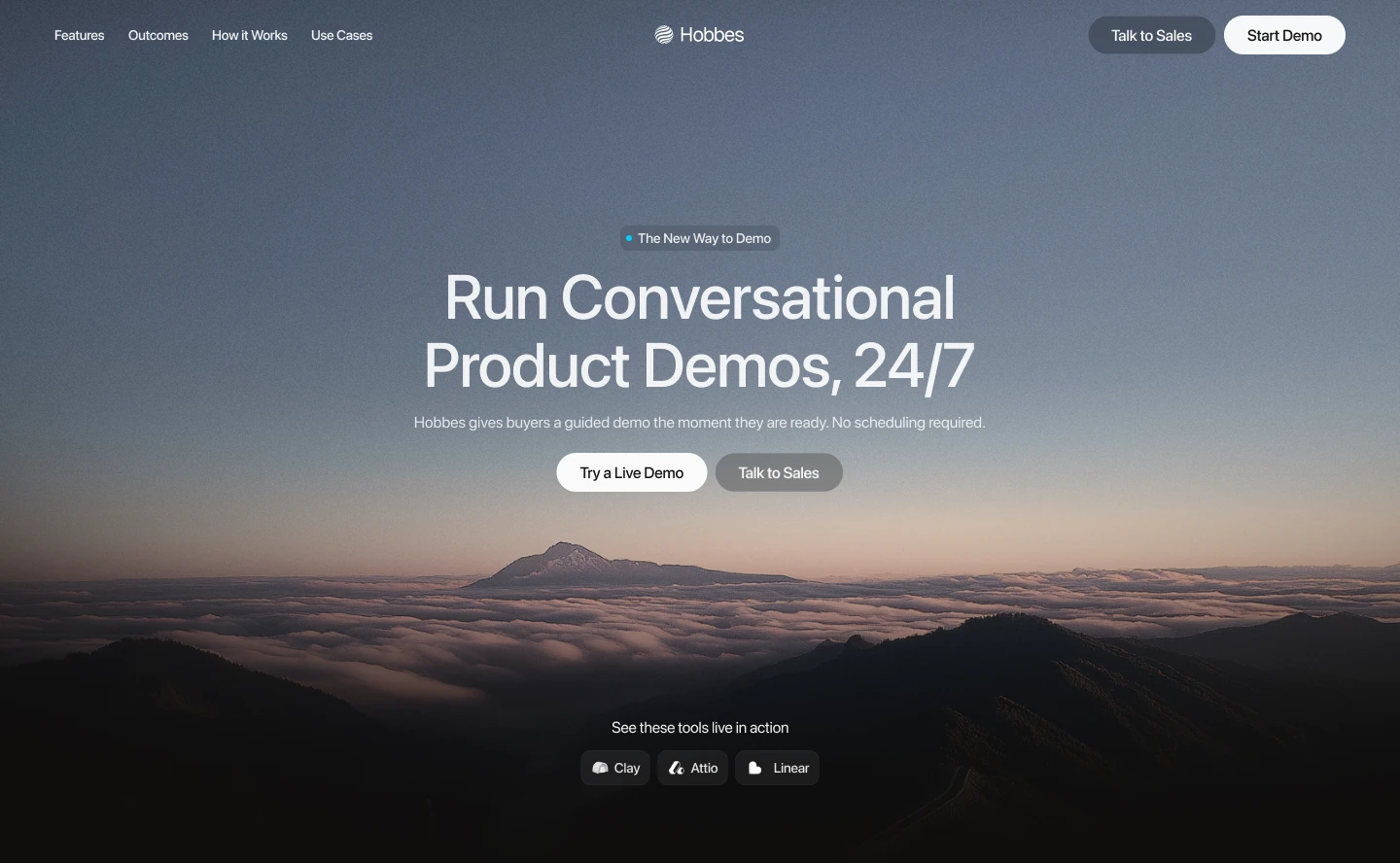 Hobbes · Framer · rebrand and website
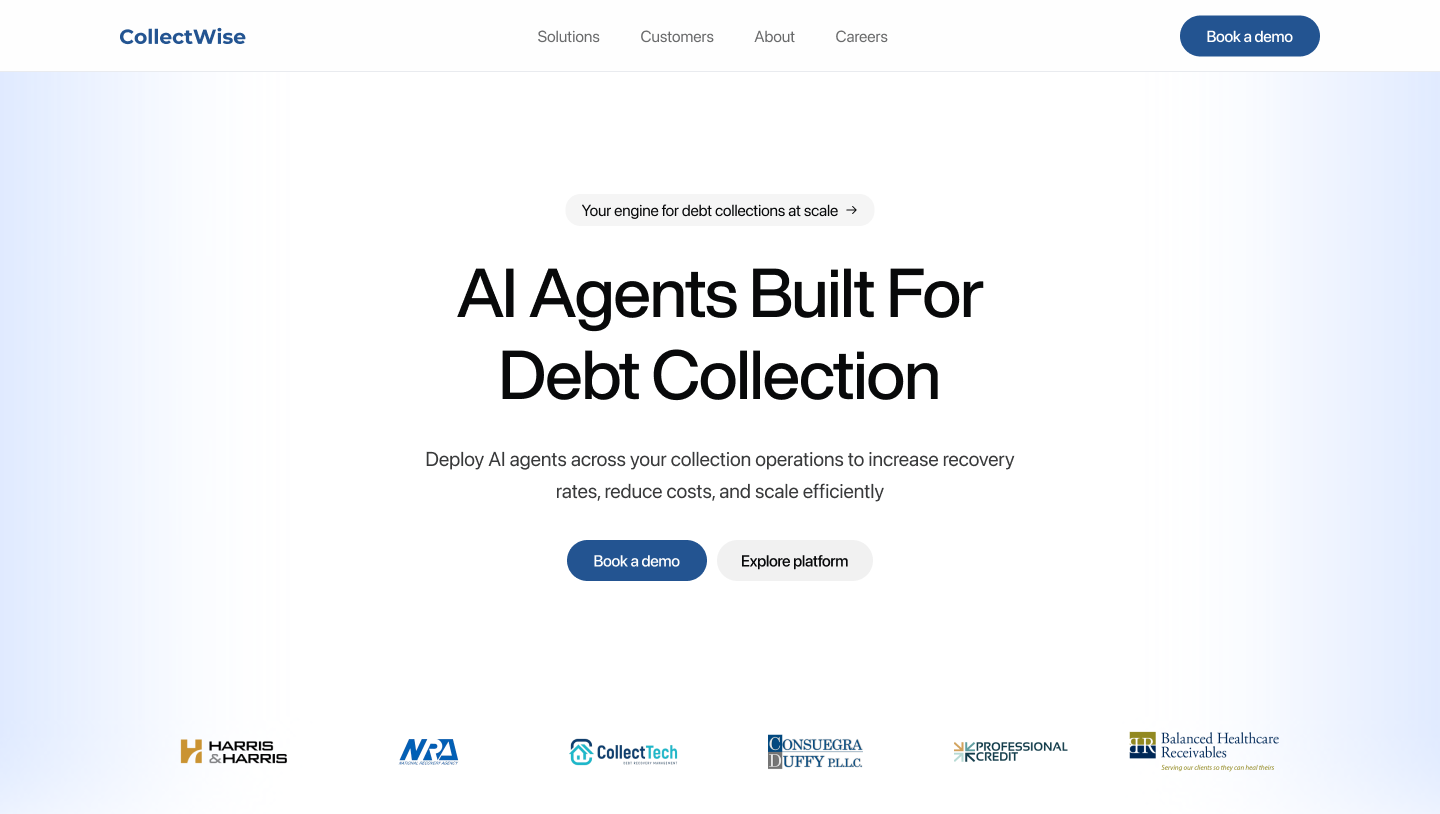 CollectWise · Framer · homepage rebuild
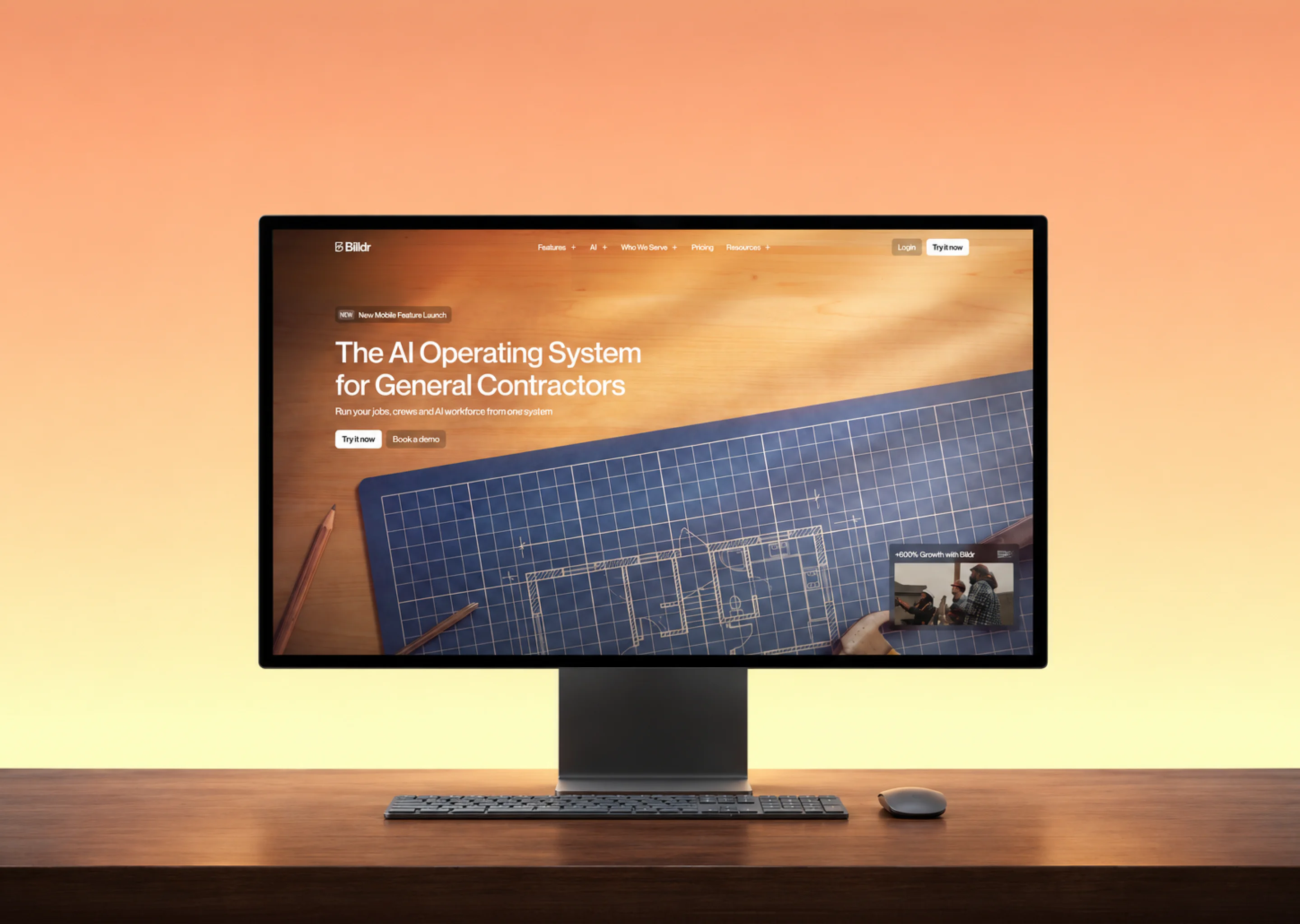 Billdr · Webflow · brand and website
Framer: Hobbes, CollectWise and Podqi
Hobbes, an AI demo platform, came to Bricx for a full rebrand, and the new website went live on Framer alongside it. CollectWise, which builds AI agents for debt collection, had its homepage rebuilt on Framer around one line: "AI Agents Built For Debt Collection".
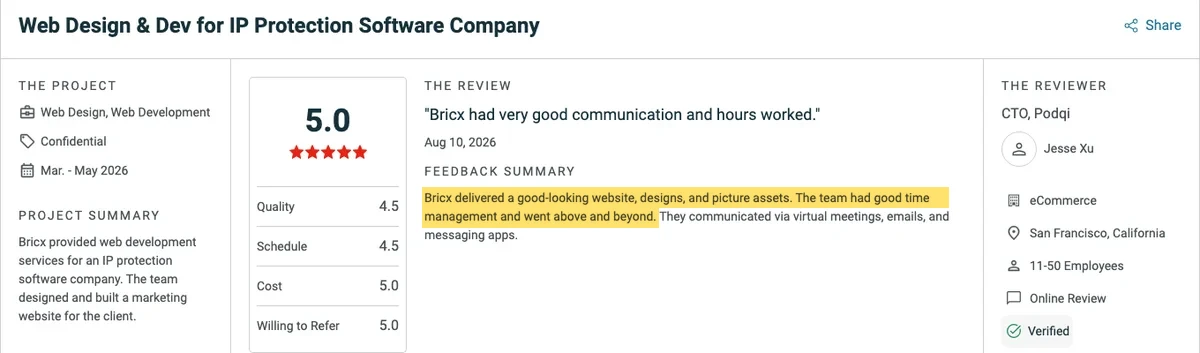
For Podqi, an IP protection software company with 11 to 50 people, Bricx designed and built the marketing site on Framer between March and May 2026. Its CTO, Jesse Xu, rated the project 5.0 on Clutch.
Webflow: Billdr
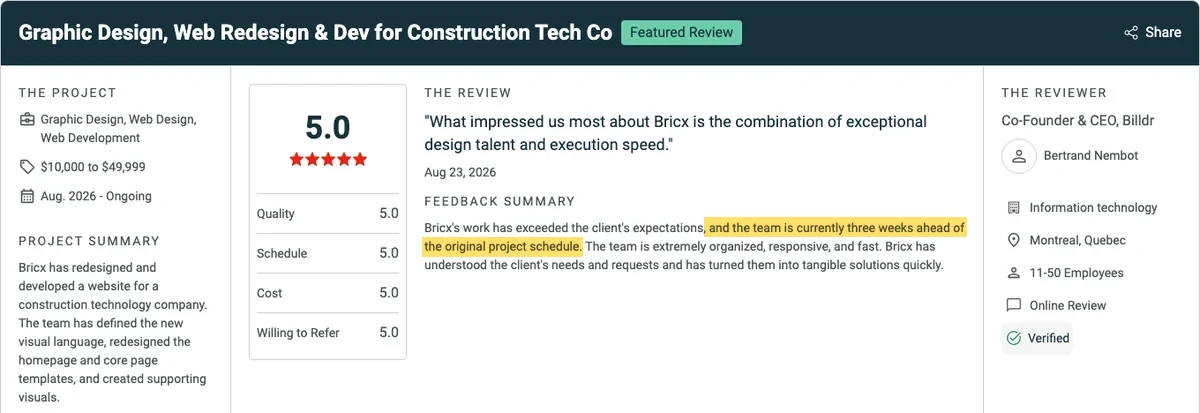
For Billdr, an AI operating system for general contractors, Bricx defined a new visual language, redesigned the homepage and core page templates and developed the site on Webflow. The result its co-founder and CEO pointed to was speed: the team was three weeks ahead of the original project schedule.
Moving between Framer and Webflow
A move in either direction means rebuilding the pages and carefully carrying over everything search engines already know about the site. Neither platform imports the other's pages, so a platform move is really a website redesign and deserves the same planning.
Migrating from Webflow to Framer
This is the more common move for SaaS teams that want marketing to own the site. Export each CMS collection from Webflow as CSV, recreate the collections and fields in Framer, and import the content. Rebuild the pages as Framer components rather than one-off sections, so new pages come from the same parts. Start on Framer Pro, because redirects aren't on Basic.
Migrating from Framer to Webflow
This move usually happens when the content stack outgrows Framer's collections or the sales motion moves upmarket. Export the Framer CMS content, model it in Webflow with references between collections (customer stories to integrations, posts to authors), then import it. Rebuild the design with a documented class system from the first page, since that is what keeps the site editable later.
Migration checklist
- List every URL that ranks or gets traffic (Search Console, last 12 months) before anything is touched
- Map a 301 for every URL that changes, and keep the URLs that already earn traffic
- Carry over meta titles, descriptions and Open Graph images for every page
- Recreate CMS collections and fields, then import and spot-check the content
- Rebuild pages from components, not copied sections
- Reconnect forms, analytics and tracking, and test a real submission
- Recreate schema and FAQ markup
- Run a performance pass on the new site before launch
- Watch Search Console for two weeks after launch and fix any 404s
Sometimes the honest answer is that rebuilding a tangled site on the same platform is cheaper than untangling it, even when it is the larger quote.
Conclusion: Framer or Webflow for your SaaS?
Choose the platform for the team that will run the site after launch. Both Framer and Webflow can produce a fast, good-looking SaaS site that ranks, and the plans cost about the same. What separates them is who edits the site every week and how much content it has to carry.
If you're a lean team where a founder or one marketer owns the site, and launches set the pace, Framer will get you live sooner and keep you shipping without a developer. If content is a growth channel, several people publish every week, or you sell to enterprise buyers, Webflow gives you the CMS depth and structure to grow into.
Whichever you pick, set up the CMS around what your team publishes, map every URL before a migration, and connect an AI agent through MCP so routine edits take minutes instead of tickets.
If you're still weighing the two, schedule a call with Bricx and we'll recommend Framer or Webflow based on who will run your site.
Questions founders ask us about Framer vs Webflow
Will we outgrow Framer?
Probably not on page count, since Framer Pro scales to 700 pages and 40 CMS collections with add-ons. Where teams outgrow it is content operations: several editors, related content types and a publishing calendar. If that's where you're headed within a year, start on Webflow and skip the second migration.
Is Framer only for landing pages?
No. Framer runs full marketing sites with a blog and per-page SEO. CMS fields drive meta titles and descriptions, and related posts and filtering work through plugins. Its reputation as a landing page tool is out of date.
Is Framer better than Webflow for SEO?
Neither is better by default. Both support per-page meta, clean URLs and redirects (on Framer, redirects need Pro). Rankings come from the content and from how carefully a migration is handled, so judge the team doing the build more than the platform.
Is Framer cheaper than Webflow?
The plans are close: Framer Pro at $30 a month and Webflow Premium at $25 a month, billed yearly. Framer is usually cheaper to build because the build is faster, and that is the bigger number.
Can Claude edit a Framer or Webflow site?
Yes. Both have official MCP servers that Claude can connect to. Framer's needs no setup beyond approving the connection, and Webflow's goes further into bulk CMS updates, styles and schema.
Do we need a developer after launch?
Not if the handover is done well. Your marketer should be able to change copy, publish posts and build pages from existing components. If you need a developer to change a headline, the CMS was set up wrong, and that would be true on either platform.
Can we put the marketing site on Framer and the blog on Webflow?
We advise against it. Two platforms means two CMSs, two sets of components and two places for the brand to drift, and your team ends up maintaining both. Pick the platform that fits the heavier of the two jobs and run everything there.
Which is better for a startup website?
For most pre-seed and seed startups, Framer, because it ships faster and a founder can edit it. From Series B, or earlier if content is your main channel or you sell to enterprise, Webflow. Whichever you choose, our guide to website design for startups walks through planning that first site, from user research to wireframes.
Should a SaaS company use WordPress instead?
WordPress still makes sense for large editorial teams or companies tied to its plugins. For most SaaS marketing sites, Framer or Webflow is the shorter path to a site the marketing team can run.